
What Is OpenAI Decisions API? A Practical Guide


OpenAI introduced the API at DevDay 2026. Public coverage describes it as a specialized version of GPT-6 Luna that is designed for fast, single decisions. The initial use cases include classifying content, routing requests, and choosing an agent's next action. The launch matters because it turns a pattern that developers have been building with prompts, JSON schemas, and post-processing into a first-class API concept.
This guide explains what OpenAI Decisions API is, what it is not, how to think about its architecture, and how it compares with the already-public Decisions API workflow. The goal is not to invent an undocumented request format. The preview is still changing, so production teams should verify the current OpenAI contract before wiring it into a critical system.
Table of contents
- OpenAI Decisions API in one sentence
- Why a decision API is different from a chat API
- How the decision loop works
- What can you use it for
- A safe mental model for the API
- OpenAI Decisions API versus Decisions API
- Where it belongs in an agent architecture
- Latency, cost, and calibration
- Availability and what developers should verify
- Frequently asked questions
OpenAI Decisions API in one sentence
OpenAI Decisions API is a decision-oriented endpoint that takes context plus developer-defined choices and returns a structured selection for a narrow question.
The important word is narrow. A question such as “Which queue should receive this ticket?” has a finite output space. A question such as “Write the best response to this customer” does not. The first is a good candidate for a decision API; the second belongs in a generative model or a response workflow.
Public reporting on the DevDay announcement says that the API runs on a version of GPT-6 Luna, accepts text or image context, and allows developers to define questions with a limited set of predefined answers. The same reporting describes a limited preview, with broader availability expected after launch. The Decoder's DevDay report and Pasquale Pillitteri's analysis are useful early sources, but neither should be treated as a substitute for the final API reference.
The simplest abstraction is:
decision = f(context, question, allowed_answers)
The function does not need to draft an essay. It needs to return a value that your code can branch on.
Why a decision API is different from a chat API
Most model integrations begin with a chat-shaped request: messages go in and text comes out. That shape is flexible, which is precisely why it is expensive to use for every small control decision inside an application.
Suppose a support system receives a new ticket. A general model might answer with:
This appears to be a billing issue, but the customer is also reporting a login problem...
Your application then has to extract a category, handle ambiguity, validate the value, and decide what to do when the answer drifts from the expected format. A decision-oriented request starts from the actual software contract:
Question: Which queue owns this ticket?
Allowed answers: billing, account, technical, abuse
Context: <ticket state>
The response can be consumed as a routing signal instead of as prose. That difference is not merely cosmetic. It changes the boundary between model output and application logic.
Decision APIs reduce the parsing surface
With a chat API, a common pipeline looks like this:
prompt -> generated text -> parser -> schema validation -> retry -> action
A decision API aims for a smaller pipeline:
state + bounded question -> typed decision -> policy check -> action
There is still validation. There should still be a policy check. The model does not become an authorization system just because its output is structured. The improvement is that the model is asked to perform the semantic judgment directly, instead of hiding the judgment inside a free-form paragraph.

Decision APIs are not “JSON mode with a new name”
JSON mode or structured output asks a generative model to format its answer as JSON. That is useful when you need an object containing several generated fields. A decision API is more specific: the answer space is bounded before inference, and the endpoint is optimized around selecting among those answers.
You can still use schemas around a decision API. The conceptual difference is that the semantic contract comes first, rather than being imposed after text generation.
How the decision loop works
Think of a decision call as four small steps.
1. Capture the state
State is the evidence the decision needs. It may be a ticket, an email, a proposed tool call, a form submission, a moderation event, or a compact object containing fields from several services.
Good state is focused. If a routing decision only needs the ticket title, body, account tier, and recent events, sending an entire multi-turn transcript can add noise and cost. A useful question is: “What would a human reviewer need to see to answer this one question?”
2. Define a bounded question
The question should be specific enough that two engineers would agree on what a correct answer means. Examples include:
- Which approved queue should handle this request?
- Does this tool call require confirmation?
- Which model tier should process the task?
- Is the submitted document missing required evidence?
- What is the priority level on a low-to-high scale?
Avoid questions that ask the model to invent the workflow. “What should we do?” is difficult to audit. “Which of these four approved routes applies?” is easier to evaluate.
3. Select from the answer space
The developer defines the available outcomes. Depending on the final OpenAI contract, the representation may be an option list, a classification schema, or another bounded question format. The core idea stays the same: the model chooses from known possibilities instead of generating arbitrary next actions.
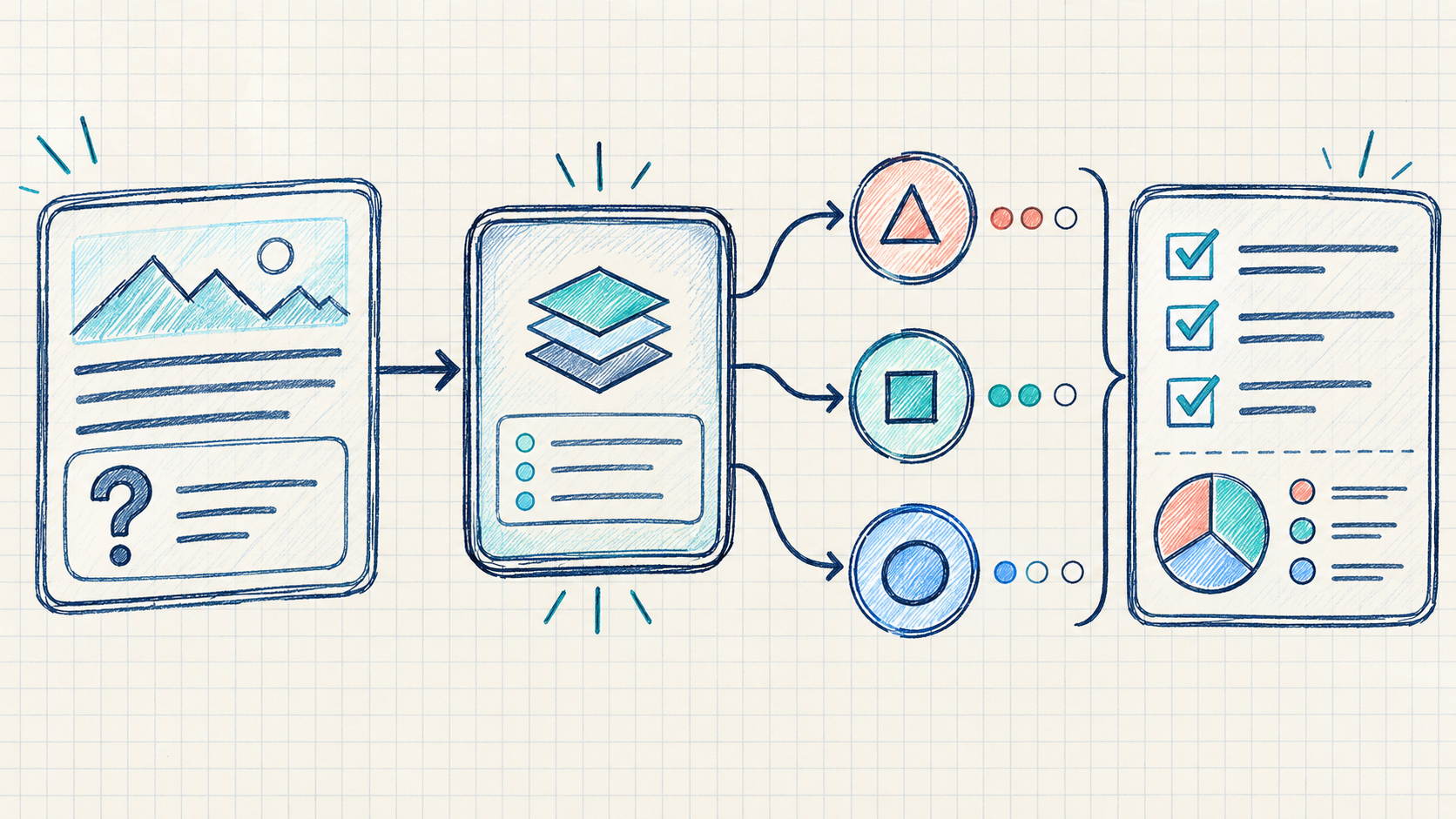
4. Enforce the result in code
The decision is a signal. Your application still needs to check permissions, resource scope, input validity, rate limits, and business policy. A high score should not allow an account to delete data if the account lacks the permission to do so.
The safe relationship is:
model judgment ∩ deterministic policy = executable path
The intersection is intentional. A decision model can judge meaning; code should own authority.
What can you use it for
OpenAI Decisions API is most interesting where a product makes the same small choice many times.
Classification and routing
Route incoming work to a queue, team, model, region, or workflow. Examples include support intent, sales qualification, moderation categories, document types, and incident severity.
Agent next-step selection
An agent can use a stronger model to plan a goal, then call a fast decision model to choose among approved next steps. The planner might identify that a browser task needs to search, fill, verify, or ask for help. The decision layer chooses the next action from the allowed set.
This separation can make an agent easier to inspect. The planner explains the goal; the decision layer answers one bounded question; the host application executes only tools that are permitted.
Tool-call gates
Before sending an email, changing an account, making a payment, or deleting a record, ask a narrow question such as “Does this exact action require human confirmation?” Combine the result with an allowlist and the user's permissions.
Model routing and cost control
Not every request needs a frontier model. A decision layer can classify difficulty, risk, or expected value before selecting a fast model, a deeper model, retrieval, or human review.
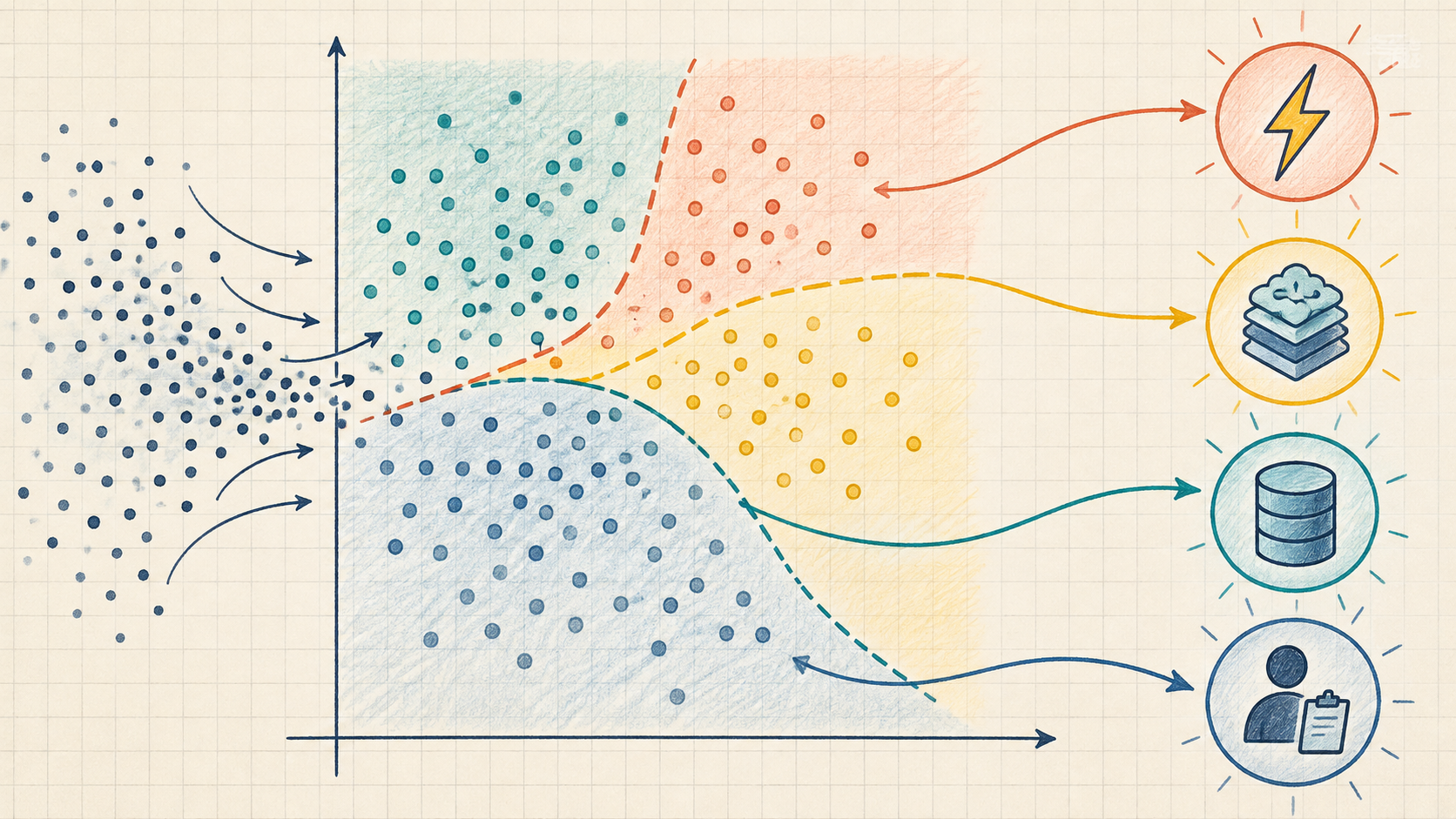
Triage and prioritization
Queueing systems often need a priority signal rather than a written summary. A bounded scale can turn unstructured evidence into a consistent route, provided the scale has a clear rubric and the team measures its error rate.
Visual decisions
Public coverage says the preview can accept image context as well as text. That opens possibilities such as checking whether a screenshot shows a known UI state or routing an image-based report to the right workflow. Treat this as a preview capability: validate supported image formats, limits, privacy handling, and actual accuracy before building around it.
A safe mental model for the API
Because the preview contract is still evolving, it is better to design against a conceptual interface than to copy an unofficial payload. The following is illustrative pseudocode, not an official OpenAI request example:
{
  "context": {
    "ticket": "The customer was charged twice.",
    "account_tier": "business",
    "recent_events": ["payment_succeeded", "payment_succeeded"]
  },
  "question": {
    "name": "route",
    "prompt": "Which approved workflow owns this case?",
    "answers": ["refund_review", "technical_support", "account_security"]
  }
}
The application-side handling might look like this:
const decision = await decisionsApi.evaluate(request);

if (!allowedRoutes.includes(decision.choice)) {
  return sendToManualReview('Unknown route');
}

if (decision.confidence < MIN_CONFIDENCE) {
  return sendToManualReview('Uncertain decision');
}

return dispatch(decision.choice, { auditId, source: 'decisions-api' });
Do not assume that a field named confidence is a calibrated probability. Store the raw result, the input version, the policy version, and the final human or system outcome so that you can measure whether the threshold works.
If you want to see a public decision workflow today, the Decisions API Playground lets you define state and bounded questions interactively. The Decisions API documentation shows the current public request and response patterns for the model; it is a useful reference for the general design pattern, not an OpenAI compatibility promise.
OpenAI Decisions API versus Decisions API
OpenAI's announcement places it in the same emerging category as Decisions API: a model or endpoint focused on application decisions rather than chat. The overlap is real, but the products are not identical based on the information currently available.
| Dimension | OpenAI Decisions API | Decisions API |
|---|---|---|
| Current status | Limited preview at launch | Public playground and API workflow |
| Reported engine | Specialized GPT-6 Luna | Decisions API decision model |
| Input described publicly | Text or image context | Text, JSON objects, and text arrays on the public site |
| Output idea | Selection among predefined answers, with a score reported in coverage | Typed Choice, Score, and Noul-style decisions with probabilities and confidence |
| Typical jobs | Classification, routing, agent next step | Classification, routing, scoring, safety checks, and human-review gates |
| Public pricing | Not yet fully published for the preview | Public plans and credits on the product site |
The practical choice is less about which brand sounds more advanced and more about which contract you can evaluate. If you need OpenAI account consolidation, image context, or a preview you are already invited to, Decisions API may be worth testing. If you need a public playground, a documented typed-question workflow, and a direct way to experiment with decision outputs, Decisions API is available for that path.
The two approaches also suggest a broader architecture: a general model can handle planning and language, while a fast decision model handles repeated bounded judgments. A product may use both, but it should keep their responsibilities distinct.
Where it belongs in an agent architecture
A robust agent usually has at least five layers:
- Orchestrator: maintains the task, context, retries, and next-step loop.
- Generative model: interprets intent, plans work, writes responses, or summarizes evidence.
- Decision model: answers narrow questions about route, risk, priority, or completion.
- Policy and permissions: enforce what the user, agent, and tool are allowed to do.
- Action and audit layer: executes the approved tool call and records the result.
The decision model should not silently become layer four. It can say that an action appears safe; it cannot grant permission that your policy engine did not grant.
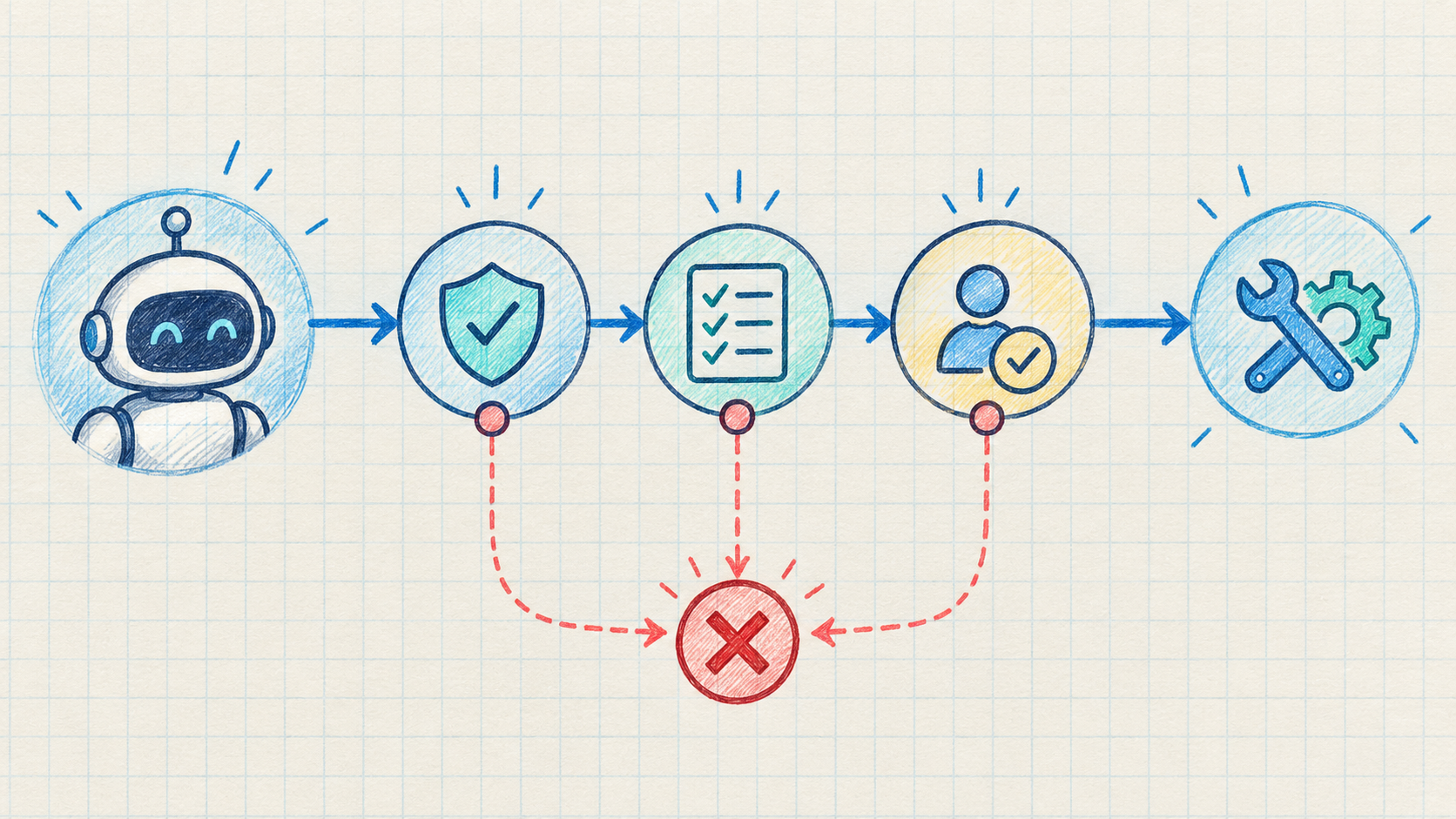
For a first integration, choose one decision with a small answer space. A useful rollout looks like this:
historical examples
        ↓
question + allowed answers
        ↓
offline evaluation
        ↓
shadow traffic
        ↓
human-approved automation
        ↓
monitored production path
Start in shadow mode when the decision affects money, access, safety, or reputation. Compare the model's choice with a human or trusted rule. Only then choose a threshold for automation.
Latency, cost, and calibration
Latency
OpenAI's DevDay coverage reports roughly 150 milliseconds for Decisions API and describes it as about ten times faster than asking GPT-6 Luna through the regular API. That is a meaningful direction for high-frequency agent loops, but published marketing numbers are not a substitute for your own p50, p95, and p99 measurements. Network distance, input size, concurrency, retries, and queueing can dominate the model's internal latency.
Cost
A decision endpoint can reduce cost by avoiding long generated explanations and by routing easy work away from expensive models. It does not automatically make a workflow cheap. You still pay for input context, repeated calls, failed retries, storage, observability, and any downstream model or tool.
OpenAI's preview pricing was not fully public in the sources available for this article. Treat any unofficial price estimate as a placeholder and verify current billing terms in the OpenAI dashboard before forecasting unit economics.
Calibration
Confidence is a routing signal, not proof. A system that returns 0.92 can still be wrong on an important slice of traffic. Measure at least:
- accuracy or agreement with a reviewed label;
- false-positive and false-negative rates;
- coverage at each automation threshold;
- calibration by class, language, customer segment, and input type;
- human-review volume and time-to-resolution;
- drift after a prompt, model, policy, or product change.
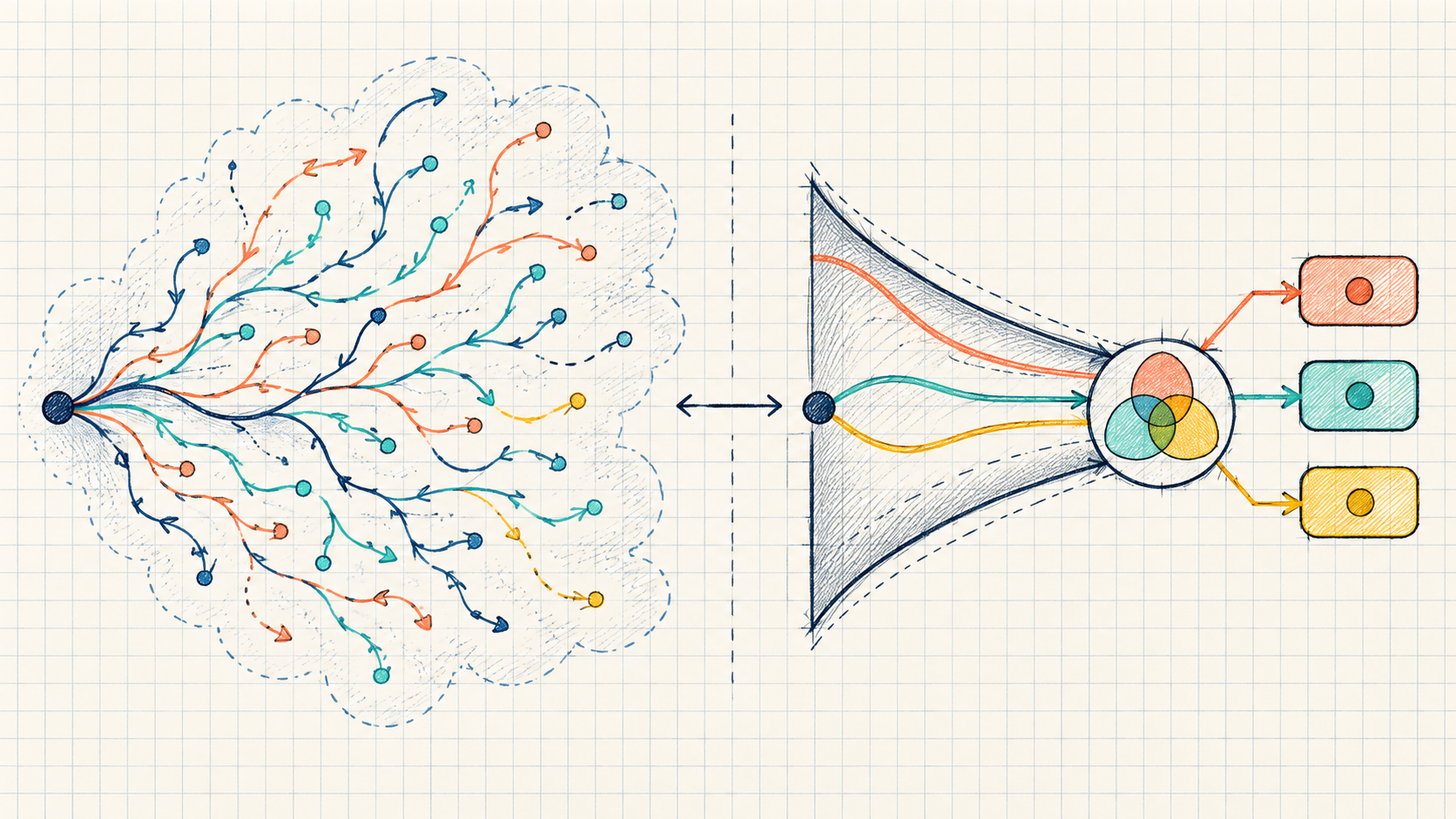
For high-impact actions, use a two-key design: the decision model recommends a path, while deterministic policy and, when necessary, a human approval gate authorize it.
Availability and what developers should verify
At launch, public reports described OpenAI Decisions API as a limited preview with broader access expected soon. That means the most important implementation details may change: endpoint naming, authentication scope, supported input formats, limits, model identifiers, score semantics, region availability, and pricing.
Before adopting it in production, verify:
- the official endpoint and current request schema;
- whether image input is supported for your account and use case;
- how options are defined and whether multiple questions are supported;
- whether returned scores are calibrated, ranked, or only model confidence;
- rate limits, latency guarantees, retries, and error codes;
- data retention, privacy, and zero-data-retention eligibility;
- the pricing unit and how failed or batched decisions are billed;
- the process for preview changes and model version pinning.
Do not ship against a screenshot or a third-party paraphrase alone. Keep your integration behind a small adapter so that a preview contract change does not spread across every queue, agent, and tool handler.
Frequently asked questions
Is OpenAI Decisions API a replacement for Chat Completions or Responses API?
No. It is better understood as a specialized decision layer. Use a general API for generation, reasoning, tool orchestration, and user-facing text. Use a decisions endpoint when the application needs a bounded judgment that can be represented as a small set of approved outcomes.
Does it return text?
The public description emphasizes selecting from developer-defined answers rather than generating free-form text. Even if the transport format is JSON, the useful output is the decision value and its associated score or metadata.
Can it choose the next action for an AI agent?
Yes, that is one of the clearest use cases described publicly. Keep the action set bounded and let application code validate the selected tool, arguments, permissions, and resource scope before execution.
Is a confidence score the same as accuracy?
No. A score can help rank or route cases, but it must be evaluated against real outcomes. For costly decisions, add thresholds, abstention, human review, and deterministic safeguards.
Should developers use it today?
Use it for a controlled experiment if you can access the preview and can tolerate contract changes. Start with offline or shadow evaluation. For a public, immediately testable typed-decision workflow, explore the Decisions API Agent guide and the Decisions API playground before choosing an architecture.
What is the main takeaway?
OpenAI Decisions API is part of a shift from “ask a model to write something” toward “ask a model to make one small, typed judgment.” That shift can make classification, routing, and agent control loops faster and easier to integrate. The engineering discipline remains the same: define the answer space, evaluate on real data, keep authority in code, and treat confidence as evidence rather than permission.
References
- OpenAI Structured Outputs
- OpenAI function calling
- decisionapi.net Decisions API Playground
- decisionapi.net Developer documentation


