
Diffusers documentation
Stable Diffusion XL
Stable Diffusion XL


Stable Diffusion XL (SDXL) 由 Dustin Podell、Zion English、Kyle Lacey、Andreas Blattmann、Tim Dockhorn、Jonas Müller、Joe Penna 和 Robin Rombach 在 SDXL: Improving Latent Diffusion Models for High-Resolution Image Synthesis 中提出。
该论文的摘要如下:
我们提出了 SDXL,一种用于文本到图像合成的潜在扩散模型。与 Stable Diffusion 的早期版本相比,SDXL 采用了规模大三倍的 UNet 主干网络:模型参数的增加主要源于更多的注意力块以及更大的交叉注意力上下文,因为 SDXL 使用了第二个文本编码器。我们设计了多种新颖的条件化方案,并在多种宽高比上训练了 SDXL。我们还引入了一个精修模型,利用事后图像到图像技术来提升 SDXL 生成样本的视觉保真度。我们证明,与 Stable Diffusion 的早期版本相比,SDXL 的性能有了显著提升,并取得了与黑盒最先进图像生成器相媲美的结果。
提示
- 已知使用 DPM++ 调度器在少于 50 步的情况下运行 SDXL 会产生 视觉伪影 ,因为求解器会出现数值不稳定。要解决此问题,请查看此 PR ,其中针对 ODE/SDE 求解器建议:
- 设置
use_karras_sigmas=True或lu_lambdas=True以提升图像质量 - 如果您使用的是步长均匀的求解器(DPM++2M 或 DPM++2M SDE),请设置
euler_at_final=True
- 设置
- 大多数 SDXL 检查点在 1024x1024 的图像尺寸下效果最佳。768x768 和 512x512 的图像尺寸也受支持,但效果稍逊。不建议使用低于 512x512 的尺寸,对于 stabilityai/stable-diffusion-xl-base-1.0 等默认检查点,低分辨率通常也无法获得良好效果。
- SDXL 可以为每个用于训练的文本编码器传入不同的提示词。我们甚至可以将同一提示词的不同部分分别传给各个文本编码器。
- SDXL 生成的图像可以通过在图生图设置中使用精修模型(refiner model)来进一步提升质量。
- SDXL 提供
negative_original_size、negative_crops_coords_top_left和negative_target_size,用于对图像分辨率和裁剪参数进行负向条件控制。
请前往 Stability AI Hub 组织,查看官方的基础模型和精修模型检查点!
请确保已安装以下库。
# uncomment to install the necessary libraries in Colab
#!pip install -q diffusers transformers accelerate invisible-watermark>=0.2.0
我们建议安装 invisible-watermark 库,以帮助识别生成的图像。如果已安装 invisible-watermark 库,则默认会使用它。要禁用水印功能:
pipeline = StableDiffusionXLPipeline.from_pretrained(..., add_watermarker=False)
加载模型检查点
模型权重可能存储在 Hub 或本地的不同子文件夹中,在这种情况下,您应使用 from_pretrained() 方法:
from diffusers import StableDiffusionXLPipeline, StableDiffusionXLImg2ImgPipeline
import torch

pipeline = StableDiffusionXLPipeline.from_pretrained(
    "stabilityai/stable-diffusion-xl-base-1.0", dtype=torch.float16, variant="fp16", use_safetensors=True
).to("cuda")  # or "mps", "xpu", "cpu"

refiner = StableDiffusionXLImg2ImgPipeline.from_pretrained(
    "stabilityai/stable-diffusion-xl-refiner-1.0", dtype=torch.float16, use_safetensors=True, variant="fp16"
).to("cuda")
您还可以使用 from_single_file() 方法从 Hub 或本地加载以单文件格式(.ckpt 或 .safetensors)存储的模型检查点:
from diffusers import StableDiffusionXLPipeline, StableDiffusionXLImg2ImgPipeline
import torch

pipeline = StableDiffusionXLPipeline.from_single_file(
    "https://huggingface.co/stabilityai/stable-diffusion-xl-base-1.0/blob/main/sd_xl_base_1.0.safetensors",
    dtype=torch.float16
).to("cuda")  # or "mps", "xpu", "cpu"

refiner = StableDiffusionXLImg2ImgPipeline.from_single_file(
    "https://huggingface.co/stabilityai/stable-diffusion-xl-refiner-1.0/blob/main/sd_xl_refiner_1.0.safetensors", dtype=torch.float16
).to("cuda")
文本到图像
对于文生图任务,请传入文本提示词。默认情况下,SDXL 会生成 1024x1024 的图像以获得最佳效果。您可以尝试将 height 和 width 参数设置为 768x768 或 512x512,但低于 512x512 的分辨率可能无法正常工作。
from diffusers import AutoPipelineForText2Image
import torch

pipeline_text2image = AutoPipelineForText2Image.from_pretrained(
    "stabilityai/stable-diffusion-xl-base-1.0", dtype=torch.float16, variant="fp16", use_safetensors=True
).to("cuda")  # or "mps", "xpu", "cpu"

prompt = "Astronaut in a jungle, cold color palette, muted colors, detailed, 8k"
image = pipeline_text2image(prompt=prompt).images[0]
image
图像到图像
对于图像到图像的转换,SDXL 在 768x768 到 1024x1024 之间的图像尺寸下表现尤为出色。传入一张初始图像,并传入一个文本提示词以对该图像进行条件控制:
from diffusers import AutoPipelineForImage2Image
from diffusers.utils import load_image, make_image_grid

# use from_pipe to avoid consuming additional memory when loading a checkpoint
pipeline = AutoPipelineForImage2Image.from_pipe(pipeline_text2image).to("cuda")  # or "mps", "xpu", "cpu"

url = "https://huggingface.co/datasets/huggingface/documentation-images/resolve/main/diffusers/sdxl-text2img.png"
init_image = load_image(url)
prompt = "a dog catching a frisbee in the jungle"
image = pipeline(prompt, image=init_image, strength=0.8, guidance_scale=10.5).images[0]
make_image_grid([init_image, image], rows=1, cols=2)
图像修复
对于图像修复(inpainting),你需要原始图像以及一张掩码,用于指定原始图像中要替换的区域。创建一个提示词,描述你希望用何种内容替换被掩码覆盖的区域。
from diffusers import AutoPipelineForInpainting
from diffusers.utils import load_image, make_image_grid

# use from_pipe to avoid consuming additional memory when loading a checkpoint
pipeline = AutoPipelineForInpainting.from_pipe(pipeline_text2image).to("cuda")  # or "mps", "xpu", "cpu"

img_url = "https://huggingface.co/datasets/huggingface/documentation-images/resolve/main/diffusers/sdxl-text2img.png"
mask_url = "https://huggingface.co/datasets/huggingface/documentation-images/resolve/main/diffusers/sdxl-inpaint-mask.png"

init_image = load_image(img_url)
mask_image = load_image(mask_url)

prompt = "A deep sea diver floating"
image = pipeline(prompt=prompt, image=init_image, mask_image=mask_image, strength=0.85, guidance_scale=12.5).images[0]
make_image_grid([init_image, mask_image, image], rows=1, cols=3)
提升图像质量
SDXL 包含一个专门用于对低噪声阶段图像进行去噪的 refiner model,以从基础模型生成更高质量的图像。使用 refiner 有两种方式:
- 将基础模型和精修模型结合使用,以生成精修后的图像
- 使用基础模型生成图像,然后使用精修模型为图像添加更多细节(这正是 SDXL 最初的训练方式)
基础 + 精修模型
当您将基础模型和精修模型一起用于生成图像时,这被称为专家去噪器集成。与将基础模型的输出传递给精修模型相比,专家去噪器集成方法所需的总去噪步骤更少,因此运行速度应显著更快。但是,由于基础模型的输出仍包含大量噪声,您将无法检查该输出。
作为一组专家去噪器,基础模型在高噪声扩散阶段充当专家,而精修模型在低噪声扩散阶段充当专家。加载基础和精修模型:
from diffusers import DiffusionPipeline
import torch

base = DiffusionPipeline.from_pretrained(
    "stabilityai/stable-diffusion-xl-base-1.0", dtype=torch.float16, variant="fp16", use_safetensors=True
).to("cuda")  # or "mps", "xpu", "cpu"

refiner = DiffusionPipeline.from_pretrained(
    "stabilityai/stable-diffusion-xl-refiner-1.0",
    text_encoder_2=base.text_encoder_2,
    vae=base.vae,
    dtype=torch.float16,
    use_safetensors=True,
    variant="fp16",
).to("cuda")
要使用此方法,你需要为每个模型定义其各自阶段所需的时间步数。对于基础模型,这由 denoising_end 参数控制;对于 refiner 模型,则由 denoising_start 参数控制。
denoising_end和denoising_start参数应为 0 到 1 之间的浮点数。这些参数表示为调度器所定义的离散时间步的比例。如果您同时使用了strength参数,它将被忽略,因为去噪步数由模型训练所用的离散时间步和声明的小数截止值决定。
将 denoising_end=0.8 设置为 0.8,使基础模型执行前 80% 的去噪过程,即处理 高噪声 时间步;将 denoising_start=0.8 设置为 0.8,使精修模型执行后 20% 的去噪过程,即处理 低噪声 时间步。基础模型的输出应为 潜在 空间中的表示,而不是 PIL 图像。
prompt = "A majestic lion jumping from a big stone at night"

image = base(
    prompt=prompt,
    num_inference_steps=40,
    denoising_end=0.8,
    output_type="latent",
).images
image = refiner(
    prompt=prompt,
    num_inference_steps=40,
    denoising_start=0.8,
    image=image,
).images[0]
image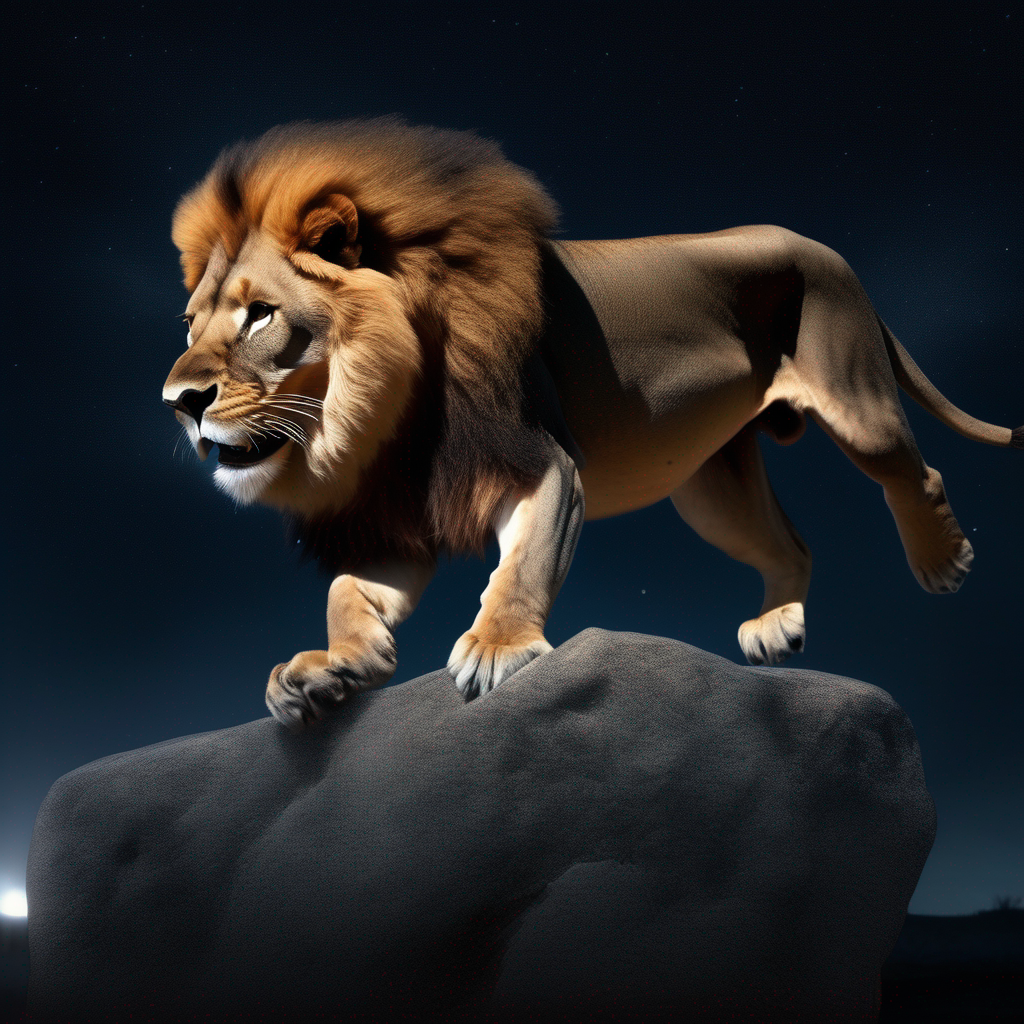

refiner 模型也可以用于 StableDiffusionXLInpaintPipeline 中的图像修复:
from diffusers import StableDiffusionXLInpaintPipeline
from diffusers.utils import load_image, make_image_grid
import torch

base = StableDiffusionXLInpaintPipeline.from_pretrained(
    "stabilityai/stable-diffusion-xl-base-1.0", dtype=torch.float16, variant="fp16", use_safetensors=True
).to("cuda")  # or "mps", "xpu", "cpu"

refiner = StableDiffusionXLInpaintPipeline.from_pretrained(
    "stabilityai/stable-diffusion-xl-refiner-1.0",
    text_encoder_2=base.text_encoder_2,
    vae=base.vae,
    dtype=torch.float16,
    use_safetensors=True,
    variant="fp16",
).to("cuda")

img_url = "https://raw.githubusercontent.com/CompVis/latent-diffusion/main/data/inpainting_examples/overture-creations-5sI6fQgYIuo.png"
mask_url = "https://raw.githubusercontent.com/CompVis/latent-diffusion/main/data/inpainting_examples/overture-creations-5sI6fQgYIuo_mask.png"

init_image = load_image(img_url)
mask_image = load_image(mask_url)

prompt = "A majestic tiger sitting on a bench"
num_inference_steps = 75
high_noise_frac = 0.7

image = base(
    prompt=prompt,
    image=init_image,
    mask_image=mask_image,
    num_inference_steps=num_inference_steps,
    denoising_end=high_noise_frac,
    output_type="latent",
).images
image = refiner(
    prompt=prompt,
    image=image,
    mask_image=mask_image,
    num_inference_steps=num_inference_steps,
    denoising_start=high_noise_frac,
).images[0]
make_image_grid([init_image, mask_image, image.resize((512, 512))], rows=1, cols=3)
这种由多个专家去噪器组成的集成方法在所有可用的调度器上都能很好地工作!
基础模型到精调模型
SDXL 通过在图像到图像的设置中,使用 refiner 模型为 base 模型生成的完全去噪图像添加额外的高质量细节,从而提升图像质量。
加载基础模型和精修模型:
from diffusers import DiffusionPipeline
import torch

base = DiffusionPipeline.from_pretrained(
    "stabilityai/stable-diffusion-xl-base-1.0", dtype=torch.float16, variant="fp16", use_safetensors=True
).to("cuda")  # or "mps", "xpu", "cpu"

refiner = DiffusionPipeline.from_pretrained(
    "stabilityai/stable-diffusion-xl-refiner-1.0",
    text_encoder_2=base.text_encoder_2,
    vae=base.vae,
    dtype=torch.float16,
    use_safetensors=True,
    variant="fp16",
).to("cuda")
您可以将 SDXL refiner 与不同的基础模型配合使用。例如,您可以使用 Hunyuan-DiT 或 PixArt-Sigma 流水线来生成对提示词遵循度更高的图像。生成图像后,您可以将其传入 SDXL refiner 模型,以提升最终生成质量。
从基础模型生成图像,并将模型输出设置为 latent 空间:
prompt = "Astronaut in a jungle, cold color palette, muted colors, detailed, 8k"

image = base(prompt=prompt, output_type="latent").images[0]
将生成的图像传递给 refiner 模型:
image = refiner(prompt=prompt, image=image[None, :]).images[0]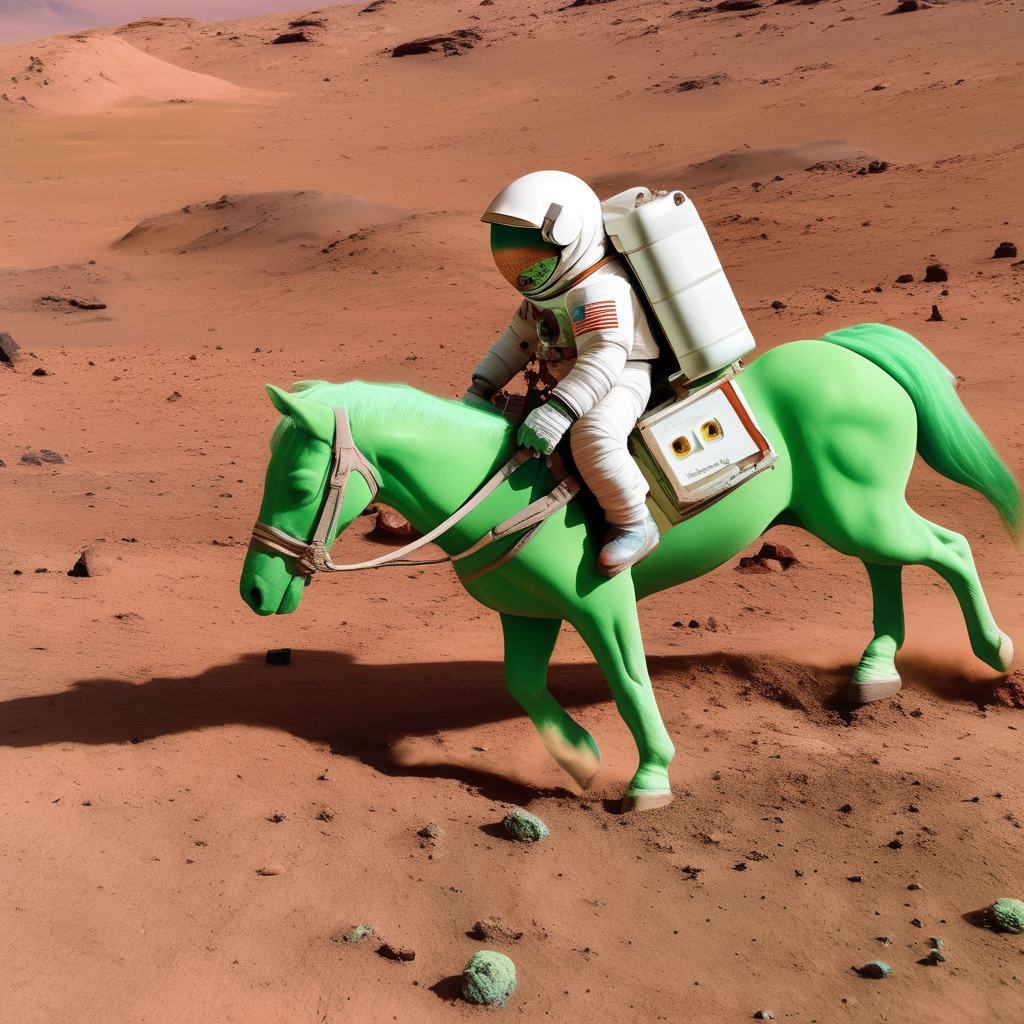
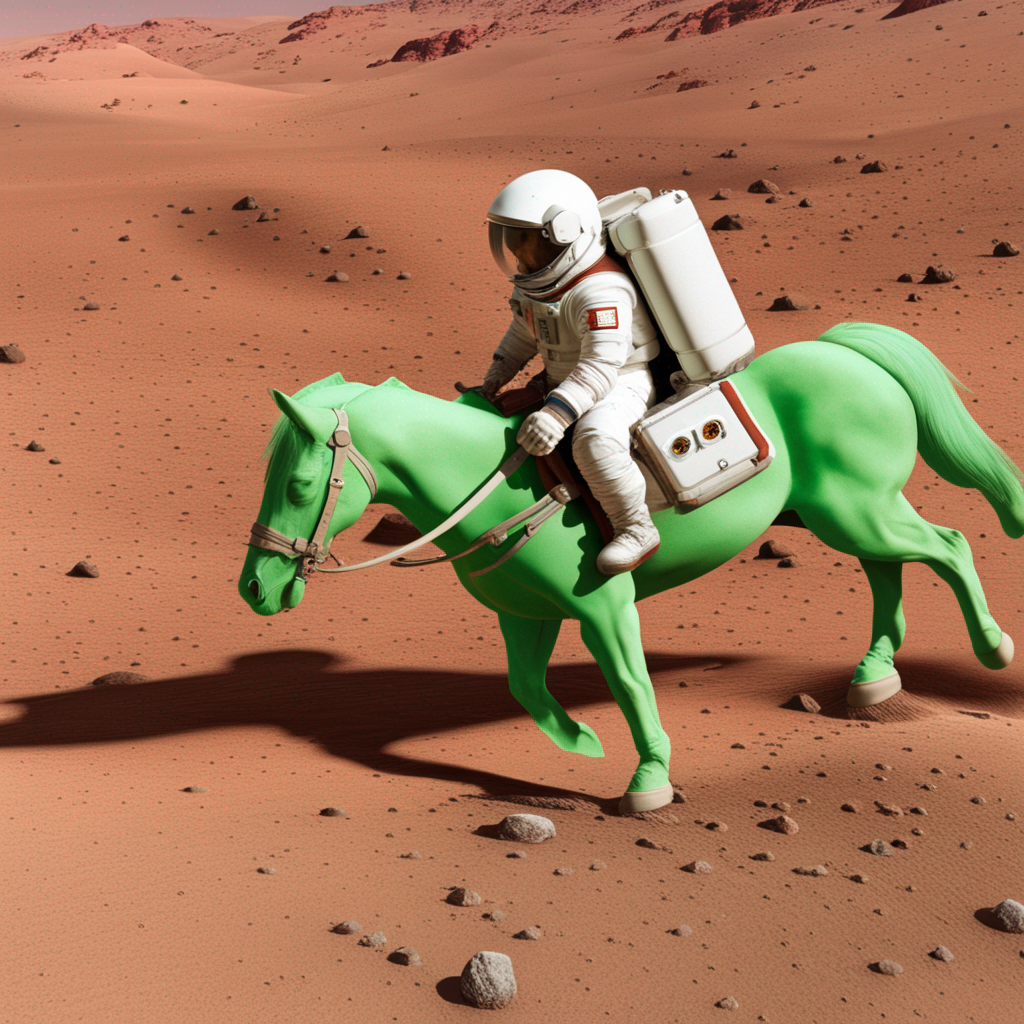
对于图像修复,请在 StableDiffusionXLInpaintPipeline 中加载基础模型和精修模型,移除 denoising_end 和 denoising_start 参数,并为精修模型选择较少的推理步数。
微条件
SDXL 的训练涉及多种额外的条件化技术,这些技术被称为微条件化。其中包括原始图像尺寸、目标图像尺寸以及裁剪参数。在推理阶段,可以利用这些微条件化来生成高质量且居中的图像。
借助 classifier-free guidance,你可以同时使用 micro-conditioning 和 negative micro-conditioning 参数。这些参数在 StableDiffusionXLPipeline、StableDiffusionXLImg2ImgPipeline、StableDiffusionXLInpaintPipeline 和 StableDiffusionXLControlNetPipeline 中可用。
尺寸条件
有两种尺寸条件类型:
original_size条件信息来自训练批次中的放大图像(因为丢弃占训练数据总量近 40% 的较小图像会造成浪费)。通过这种方式,SDXL 学会了高分辨率图像中不应存在放大伪影。在推理阶段,你可以使用original_size来指示原始图像的分辨率。使用默认值(1024, 1024)可以生成更高质量的图像,使其类似于数据集中的 1024x1024 图像。如果你选择使用较低的分辨率,例如(256, 256),模型仍然会生成 1024x1024 的图像,但它们的视觉效果会类似于数据集中的低分辨率图像(图案更简单、存在模糊)。target_size条件源自对 SDXL 的微调,以支持不同的图像宽高比。在推理过程中,如果使用(1024, 1024)作为默认值,生成的图像将类似于数据集中方形图像的构图。我们建议target_size和original_size使用相同的值,但您也可以自由尝试其他选项!
🤗 Diffusers 还允许你指定关于图像尺寸的负面条件,以引导生成过程避开某些图像分辨率:
from diffusers import StableDiffusionXLPipeline
import torch

pipe = StableDiffusionXLPipeline.from_pretrained(
    "stabilityai/stable-diffusion-xl-base-1.0", dtype=torch.float16, variant="fp16", use_safetensors=True
).to("cuda")  # or "mps", "xpu", "cpu"

prompt = "Astronaut in a jungle, cold color palette, muted colors, detailed, 8k"
image = pipe(
    prompt=prompt,
    negative_original_size=(512, 512),
    negative_target_size=(1024, 1024),
).images[0]
裁剪条件
由早期 Stable Diffusion 模型生成的图像有时看起来像是被裁剪过的。这是因为在训练过程中,图像实际上会被裁剪,以确保同一批次中的所有图像尺寸一致。通过以裁剪坐标作为条件,SDXL 学习到未进行裁剪——坐标为 (0, 0)——通常与居中的主体和完整的面部相关联(这也是 🤗 Diffusers 中的默认值)。如果您想生成非居中的构图,可以尝试使用不同的坐标!
from diffusers import StableDiffusionXLPipeline
import torch

pipeline = StableDiffusionXLPipeline.from_pretrained(
    "stabilityai/stable-diffusion-xl-base-1.0", dtype=torch.float16, variant="fp16", use_safetensors=True
).to("cuda")  # or "mps", "xpu", "cpu"

prompt = "Astronaut in a jungle, cold color palette, muted colors, detailed, 8k"
image = pipeline(prompt=prompt, crops_coords_top_left=(256, 0)).images[0]
image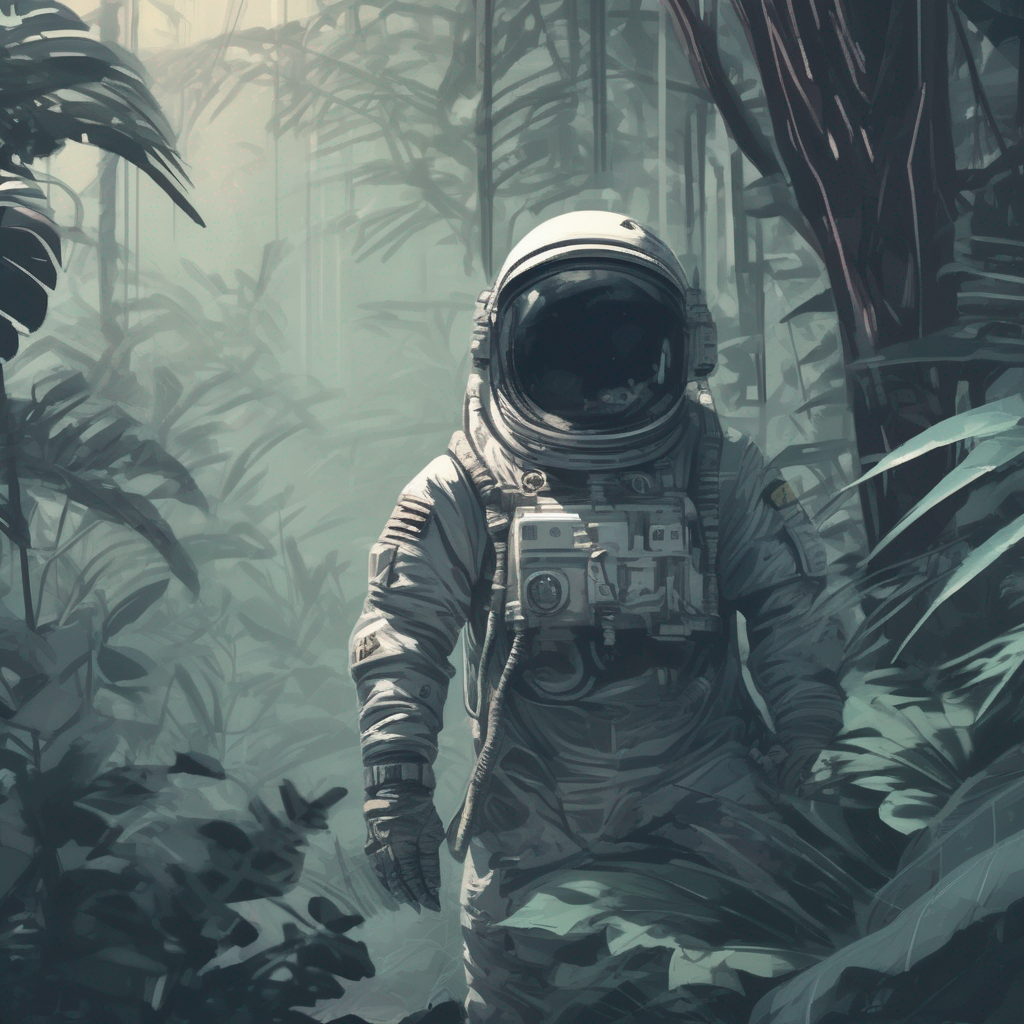
您还可以通过指定负裁剪坐标,将生成过程引导至远离某些裁剪参数:
from diffusers import StableDiffusionXLPipeline
import torch

pipe = StableDiffusionXLPipeline.from_pretrained(
    "stabilityai/stable-diffusion-xl-base-1.0", dtype=torch.float16, variant="fp16", use_safetensors=True
).to("cuda")  # or "mps", "xpu", "cpu"

prompt = "Astronaut in a jungle, cold color palette, muted colors, detailed, 8k"
image = pipe(
    prompt=prompt,
    negative_original_size=(512, 512),
    negative_crops_coords_top_left=(0, 0),
    negative_target_size=(1024, 1024),
).images[0]
image
为每个 text-encoder 使用不同的 prompt
SDXL 使用两个文本编码器,因此可以为每个文本编码器传入不同的提示词,从而提升生成质量。请将原始提示词传入 prompt,将第二个提示词传入 prompt_2(如果使用负面提示词,请分别使用 negative_prompt 和 negative_prompt_2):
from diffusers import StableDiffusionXLPipeline
import torch

pipeline = StableDiffusionXLPipeline.from_pretrained(
    "stabilityai/stable-diffusion-xl-base-1.0", dtype=torch.float16, variant="fp16", use_safetensors=True
).to("cuda")  # or "mps", "xpu", "cpu"

# prompt is passed to OAI CLIP-ViT/L-14
prompt = "Astronaut in a jungle, cold color palette, muted colors, detailed, 8k"
# prompt_2 is passed to OpenCLIP-ViT/bigG-14
prompt_2 = "Van Gogh painting"
image = pipeline(prompt=prompt, prompt_2=prompt_2).images[0]
image
双文本编码器还支持文本反转嵌入,这些嵌入需要单独加载,具体说明请参见文本反转指南。
优化
SDXL 是一个大型模型,您可能需要优化内存才能使其在您的硬件上运行。以下是一些节省内存并加快推理速度的技巧。
- 使用 enable_model_cpu_offload() 将模型卸载到 CPU,以解决内存不足错误:
- base.to("cuda")  # or "mps", "xpu", "cpu"
- refiner.to("cuda")
+ base.enable_model_cpu_offload()
+ refiner.enable_model_cpu_offload()- 使用
torch.compile可获得约 20% 的速度提升(需要torch>=2.0):
+ base.unet = torch.compile(base.unet, mode="reduce-overhead", fullgraph=True)
+ refiner.unet = torch.compile(refiner.unet, mode="reduce-overhead", fullgraph=True)- 如果
torch<2.0,请启用 xFormers 以运行 SDXL:
+ base.enable_xformers_memory_efficient_attention()
+ refiner.enable_xformers_memory_efficient_attention()
资源
如果您对实验 SDXL 中使用的 UNet2DConditionModel 的极简版本感兴趣,可以查看 minSDXL 实现。该实现基于 PyTorch 编写,并可直接与 🤗 Diffusers 兼容。
StableDiffusionXLPipeline
类 diffusers.StableDiffusionXLPipeline
< source >( vae: AutoencoderKLtext_encoder: CLIPTextModeltext_encoder_2: CLIPTextModelWithProjectiontokenizer: CLIPTokenizertokenizer_2: CLIPTokenizerunet: UNet2DConditionModelscheduler: KarrasDiffusionSchedulersimage_encoder: CLIPVisionModelWithProjection = Nonefeature_extractor: CLIPImageProcessorPil = Noneforce_zeros_for_empty_prompt: bool = Trueadd_watermarker: bool | None = None )
参数
- vae (AutoencoderKL) — 变分自编码器(VAE)模型,用于将图像编码为潜在表示,以及从潜在表示解码回图像。
- text_encoder (
CLIPTextModel) — 冻结的文本编码器。Stable Diffusion XL 使用 CLIP 的文本部分,具体为 clip-vit-large-patch14 变体。 - text_encoder_2 (
CLIPTextModelWithProjection) — 第二个冻结的文本编码器。Stable Diffusion XL 使用 CLIP 的文本和池化部分, 具体为 laion/CLIP-ViT-bigG-14-laion2B-39B-b160k 变体。 - tokenizer (
CLIPTokenizer) — CLIPTokenizer 类的分词器。 - tokenizer_2 (
CLIPTokenizer) — 第二个 CLIPTokenizer 类的 Tokenizer。 - unet (UNet2DConditionModel) — 用于对编码后的图像潜变量进行去噪的条件 U-Net 架构。
- scheduler (SchedulerMixin) —
用于与
unet配合,对编码后的图像潜变量进行去噪的调度器。可以是 DDIMScheduler、LMSDiscreteScheduler 或 PNDMScheduler 之一。 - force_zeros_for_empty_prompt (
bool,可选,默认为"True") — 是否强制将负提示嵌入始终设置为 0。另请参阅stabilityai/stable-diffusion-xl-base-1-0的配置。 - add_watermarker (
bool, 可选) — 是否使用 invisible_watermark 库 为输出图像添加水印。如果未定义,则当该包已安装时默认为 True,否则不使用水印。
使用 Stable Diffusion XL 进行文本到图像生成的 Pipeline。
该模型继承自 DiffusionPipeline。有关该库为所有流水线实现的通用方法(例如下载或保存、在特定设备上运行等),请参阅父类文档。
该 pipeline 还继承了以下加载方法:
- 用于加载文本反转嵌入的 load_textual_inversion()
- 用于加载
.ckpt文件的 from_single_file() - 用于加载 LoRA 权重的 load_lora_weights()
- 用于保存 LoRA 权重的 save_lora_weights()
- 用于加载 IP Adapter 的 load_ip_adapter()
__call__
< source >( prompt: str | list[str] = Noneprompt_2: str | list[str] | None = Noneheight: int | None = Nonewidth: int | None = Nonenum_inference_steps: int = 50timesteps: list = Nonesigmas: list = Nonedenoising_end: float | None = Noneguidance_scale: float = 5.0negative_prompt: str | list[str] | None = Nonenegative_prompt_2: str | list[str] | None = Nonenum_images_per_prompt: int | None = 1eta: float = 0.0generator: typing.Union[torch.Generator, list[torch.Generator], NoneType] = Nonelatents: typing.Optional[torch.Tensor] = Noneprompt_embeds: typing.Optional[torch.Tensor] = Nonenegative_prompt_embeds: typing.Optional[torch.Tensor] = Nonepooled_prompt_embeds: typing.Optional[torch.Tensor] = Nonenegative_pooled_prompt_embeds: typing.Optional[torch.Tensor] = Noneip_adapter_image: typing.Union[PIL.Image.Image, numpy.ndarray, torch.Tensor, list[PIL.Image.Image], list[numpy.ndarray], list[torch.Tensor], NoneType] = Noneip_adapter_image_embeds: list[torch.Tensor] | None = Noneoutput_type: str | None = 'pil'return_dict: bool = Truecross_attention_kwargs: dict[str, typing.Any] | None = Noneguidance_rescale: float = 0.0original_size: tuple[int, int] | None = Nonecrops_coords_top_left: tuple = (0, 0)target_size: tuple[int, int] | None = Nonenegative_original_size: tuple[int, int] | None = Nonenegative_crops_coords_top_left: tuple = (0, 0)negative_target_size: tuple[int, int] | None = Noneclip_skip: int | None = Nonecallback_on_step_end: typing.Union[typing.Callable[[int, int], NoneType], diffusers.callbacks.PipelineCallback, diffusers.callbacks.MultiPipelineCallbacks, NoneType] = Nonecallback_on_step_end_tensor_inputs: list = ['latents']**kwargs ) → ~pipelines.stable_diffusion_xl.StableDiffusionXLPipelineOutput or tuple
参数
- prompt (
str或list[str],可选) — 用于引导图像生成的提示词或提示词列表。如果未定义,则必须改为传入prompt_embeds。 - prompt_2(
str或list[str],可选)— 要发送给tokenizer_2和text_encoder_2的提示词。如果未定义,则两个文本编码器都会使用prompt。 - height (
int,可选,默认为 self.unet.config.sample_size * self.vae_scale_factor) — 生成图像的高度(以像素为单位)。默认设置为 1024,以获得最佳效果。 对于 stabilityai/stable-diffusion-xl-base-1.0 以及未在低分辨率上专门微调的检查点,低于 512 像素的效果不佳。 - width (
int,可选,默认为 self.unet.config.sample_size * self.vae_scale_factor) — 生成图像的宽度(以像素为单位)。默认设置为 1024,以获得最佳效果。 对于 stabilityai/stable-diffusion-xl-base-1.0 以及未在低分辨率上专门微调的检查点,低于 512 像素的宽度效果不佳。 - num_inference_steps (
int,可选,默认为 50) — 去噪步数。更多的去噪步数通常能生成更高质量的图像,但代价是推理速度变慢。 - timesteps (
list[int], 可选) — 用于支持timesteps参数的调度器去噪过程的自定义时间步,该参数位于其set_timesteps方法中。如果未定义,则使用传入num_inference_steps时的默认行为。必须按降序排列。 - sigmas (
list[float],可选) — 用于在支持sigmas参数的调度器的set_timesteps方法中,为去噪过程指定自定义的 sigmas。如果未定义,则使用传入num_inference_steps时的默认行为。 - denoising_end (
float, 可选) — 如果指定,将确定在有意提前终止之前需要完成的去噪过程的总比例(介于 0.0 和 1.0 之间)。因此,返回的样本仍将保留相当多的噪声,具体程度由调度器选择的离散时间步决定。理想情况下,当此流水线作为“去噪器混合”多流水线设置的一部分时,应使用 denoising_end 参数,详见 优化图像输出 - guidance_scale (
float,可选,默认值为 5.0) — Classifier-Free Diffusion Guidance 中定义的引导尺度。guidance_scale定义为 Imagen Paper 中公式 2 的w。通过设置guidance_scale > 1来启用引导尺度。较高的引导尺度会促使生成与文本prompt紧密关联的图像,通常以牺牲图像质量为代价。 - negative_prompt (
str或list[str],可选) — 用于不引导图像生成的提示词。如果未定义,则必须传入negative_prompt_embeds。在未使用引导时会被忽略(即当guidance_scale小于1时忽略)。 - negative_prompt_2(
str或list[str],可选)— 用于引导图像生成的负面提示词,将发送给tokenizer_2和text_encoder_2。如果未定义,则两个文本编码器均使用negative_prompt。 - num_images_per_prompt (
int,可选,默认为 1) — 每个提示词生成的图像数量。 - eta(
float,可选,默认值为 0.0)— 对应 DDIM 论文中的参数 eta (η):https://huggingface.co/papers/2010.02502。仅适用于 schedulers.DDIMScheduler,对其他调度器将被忽略。 - generator (
torch.Generator或list[torch.Generator],可选) — 一个或一组 torch 生成器,用于使生成过程具有确定性。 - latents (
torch.Tensor, 可选) — 预先生成的噪声潜变量,从高斯分布中采样得到,用作图像生成的输入。可用于使用不同的提示词对同一生成过程进行微调。如果未提供,将通过使用提供的随机generator进行采样来生成一个潜变量张量。 - prompt_embeds (
torch.Tensor, 可选) — 预生成的文本嵌入。可用于轻松调整文本输入,例如 提示词加权。如果未提供,文本嵌入将从prompt输入参数生成。 - negative_prompt_embeds (
torch.Tensor, 可选) — 预生成的负向文本嵌入。可用于轻松调整文本输入,例如提示词加权。如果未提供,negative_prompt_embeds 将从negative_prompt输入参数生成。 - pooled_prompt_embeds (
torch.Tensor, 可选) — 预生成的池化文本嵌入。可用于轻松调整文本输入,例如提示词加权。 如果未提供,将从prompt输入参数生成池化文本嵌入。 - negative_pooled_prompt_embeds (
torch.Tensor, 可选) — 预生成的负向池化文本嵌入。可用于轻松调整文本输入,例如提示词加权。如果未提供,将从negative_prompt输入参数生成池化的 negative_prompt_embeds。 - ip_adapter_image — (
PipelineImageInput,可选):用于配合 IP Adapter 使用的可选图像输入。 - ip_adapter_image_embeds (
list[torch.Tensor], 可选) — IP-Adapter 的预生成图像嵌入。它应是一个列表,长度与 IP-Adapter 的数量相同。每个元素应为形状为(batch_size, num_images, emb_dim)的张量。如果do_classifier_free_guidance设置为True,则应包含负向图像嵌入。如果未提供,嵌入将从ip_adapter_image输入参数计算得出。 - output_type (
str,可选,默认为"pil") — 生成图像的输出格式。可选值为 PIL:PIL.Image.Image或np.array。 - return_dict (
bool,可选,默认为True) — 是否返回~pipelines.stable_diffusion_xl.StableDiffusionXLPipelineOutput而不是普通元组。 - cross_attention_kwargs (
dict, 可选) — 一个 kwargs 字典,如果指定,将作为参数传递给 diffusers.models.attention_processor 中self.processor下定义的AttentionProcessor。 - guidance_rescale (
float, optional, defaults to 0.0) — Guidance rescale factor proposed by Common Diffusion Noise Schedules and Sample Steps are Flawedguidance_scaleis defined asφin equation 16. of Common Diffusion Noise Schedules and Sample Steps are Flawed. Guidance rescale factor should fix overexposure when using zero terminal SNR. - original_size (
tuple[int],可选,默认为 (1024, 1024)) — 如果original_size与target_size不同,图像将看起来像是被下采样或上采样了。 如果未指定,original_size默认为(height, width)。这是 SDXL 微条件的一部分, 如 https://huggingface.co/papers/2307.01952 第 2.2 节所述。 - crops_coords_top_left (
tuple[int],可选,默认为 (0, 0)) —crops_coords_top_left可用于生成一张看似从crops_coords_top_left位置向下裁剪的图像。通常将crops_coords_top_left设置为 (0, 0) 即可获得构图良好、居中效果理想的图像。这是 SDXL 微条件的一部分,详见 https://huggingface.co/papers/2307.01952 中的第 2.2 节。 - target_size (
tuple[int], 可选,默认为 (1024, 1024)) — 在大多数情况下,target_size应设置为生成图像所需的宽度和高度。如果未指定,则默认为(height, width)。这是 SDXL 微条件的一部分,如 https://huggingface.co/papers/2307.01952 第 2.2 节所述。 - negative_original_size (
tuple[int],可选,默认为 (1024, 1024)) — 根据特定的图像分辨率对生成过程进行负向条件控制。这是 SDXL 微条件化的一部分,详见 https://huggingface.co/papers/2307.01952 的第 2.2 节。更多信息,请参阅此 issue 讨论: https://github.com/huggingface/diffusers/issues/4208。 - negative_crops_coords_top_left (
tuple[int],可选,默认为 (0, 0)) — 根据特定的裁剪坐标对生成过程进行负向条件控制。这是 SDXL 微条件化的一部分,详见 https://huggingface.co/papers/2307.01952 第 2.2 节的说明。更多信息,请参阅此 issue 讨论: https://github.com/huggingface/diffusers/issues/4208。 - negative_target_size (
tuple[int],可选,默认为 (1024, 1024)) — 根据目标图像分辨率对生成过程进行负向条件控制。在大多数情况下,它应与target_size相同。这是 SDXL 微条件控制的一部分,如 https://huggingface.co/papers/2307.01952 第 2.2 节所述。更多信息,请参阅此 issue 讨论: https://github.com/huggingface/diffusers/issues/4208。 - clip_skip (
int, 可选) — 在计算提示嵌入时,从 CLIP 中跳过的层数。值为 1 表示使用倒数第二层的输出来计算提示嵌入。 - callback_on_step_end (
Callable、PipelineCallback、MultiPipelineCallbacks、可选) — 在推理过程中,每个去噪步骤结束时调用的函数,或PipelineCallback或MultiPipelineCallbacks的子类,其参数如下:callback_on_step_end(self: DiffusionPipeline, step: int, timestep: int, callback_kwargs: Dict)。callback_kwargs将包含由callback_on_step_end_tensor_inputs指定的所有张量列表。 - callback_on_step_end_tensor_inputs (
list,可选) —callback_on_step_end函数的张量输入列表。列表中指定的张量将作为callback_kwargs参数传递。您只能包含流水线类._callback_tensor_inputs属性中列出的变量。
返回值
~pipelines.stable_diffusion_xl.StableDiffusionXLPipelineOutput 或 tuple
如果 return_dict 为 True,则返回 ~pipelines.stable_diffusion_xl.StableDiffusionXLPipelineOutput,否则返回 tuple。当返回元组时,第一个元素是一个包含生成图像的列表。
调用生成 pipeline 时调用的函数。
示例:
>>> import torch
>>> from diffusers import StableDiffusionXLPipeline

>>> pipe = StableDiffusionXLPipeline.from_pretrained(
...     "stabilityai/stable-diffusion-xl-base-1.0", torch_dtype=torch.float16
... )
>>> pipe = pipe.to("cuda")

>>> prompt = "a photo of an astronaut riding a horse on mars"
>>> image = pipe(prompt).images[0]
encode_prompt
< source >( prompt: strprompt_2: str | None = Nonedevice: typing.Optional[torch.device] = Nonenum_images_per_prompt: int = 1do_classifier_free_guidance: bool = Truenegative_prompt: str | None = Nonenegative_prompt_2: str | None = Noneprompt_embeds: typing.Optional[torch.Tensor] = Nonenegative_prompt_embeds: typing.Optional[torch.Tensor] = Nonepooled_prompt_embeds: typing.Optional[torch.Tensor] = Nonenegative_pooled_prompt_embeds: typing.Optional[torch.Tensor] = Nonelora_scale: float | None = Noneclip_skip: int | None = None )
参数
- prompt (
str或list[str],可选) — 要编码的提示 - prompt_2(
str或list[str],可选)— 要发送给tokenizer_2和text_encoder_2的提示词。如果未定义,则两个文本编码器都会使用prompt。 - device — (
torch.device): torch 设备 - num_images_per_prompt (
int) — 每个提示词应生成的图像数量 - do_classifier_free_guidance (
bool) — 是否使用 classifier free guidance - negative_prompt (
str或list[str],可选) — 用于不引导图像生成的提示词。如果未定义,则必须传入negative_prompt_embeds。在未使用引导时会被忽略(即当guidance_scale小于1时忽略)。 - negative_prompt_2(
str或list[str],可选)— 用于引导图像生成的负面提示词,将发送给tokenizer_2和text_encoder_2。如果未定义,则两个文本编码器均使用negative_prompt。 - prompt_embeds (
torch.Tensor, 可选) — 预生成的文本嵌入。可用于轻松调整文本输入,例如 提示词加权。如果未提供,文本嵌入将从prompt输入参数生成。 - negative_prompt_embeds (
torch.Tensor, 可选) — 预生成的负向文本嵌入。可用于轻松调整文本输入,例如提示词加权。如果未提供,negative_prompt_embeds 将从negative_prompt输入参数生成。 - pooled_prompt_embeds (
torch.Tensor, 可选) — 预生成的池化文本嵌入。可用于轻松调整文本输入,例如提示词加权。 如果未提供,将从prompt输入参数生成池化文本嵌入。 - negative_pooled_prompt_embeds (
torch.Tensor, 可选) — 预生成的负向池化文本嵌入。可用于轻松调整文本输入,例如提示词加权。如果未提供,将从negative_prompt输入参数生成池化的 negative_prompt_embeds。 - lora_scale (
float, 可选) — 如果加载了 LoRA 层,将应用于文本编码器所有 LoRA 层的 LoRA 缩放系数。 - clip_skip (
int, 可选) — 在计算提示嵌入时,从 CLIP 中跳过的层数。值为 1 表示使用倒数第二层的输出来计算提示嵌入。
将提示词编码为文本编码器的隐藏状态。
get_guidance_scale_embedding
< source >( w: Tensorembedding_dim: int = 512dtype: dtype = torch.float32 ) → torch.Tensor
StableDiffusionXLImg2ImgPipeline
类 diffusers.StableDiffusionXLImg2ImgPipeline
< source >( vae: AutoencoderKLtext_encoder: CLIPTextModeltext_encoder_2: CLIPTextModelWithProjectiontokenizer: CLIPTokenizertokenizer_2: CLIPTokenizerunet: UNet2DConditionModelscheduler: KarrasDiffusionSchedulersimage_encoder: CLIPVisionModelWithProjection = Nonefeature_extractor: CLIPImageProcessorPil = Nonerequires_aesthetics_score: bool = Falseforce_zeros_for_empty_prompt: bool = Trueadd_watermarker: bool | None = None )
参数
- vae (AutoencoderKL) — 变分自编码器(VAE)模型,用于将图像编码为潜在表示,以及从潜在表示解码回图像。
- text_encoder (
CLIPTextModel) — 冻结的文本编码器。Stable Diffusion XL 使用 CLIP 的文本部分,具体为 clip-vit-large-patch14 变体。 - text_encoder_2 (
CLIPTextModelWithProjection) — 第二个冻结的文本编码器。Stable Diffusion XL 使用 CLIP 的文本和池化部分, 具体为 laion/CLIP-ViT-bigG-14-laion2B-39B-b160k 变体。 - tokenizer (
CLIPTokenizer) — CLIPTokenizer 类的分词器。 - tokenizer_2 (
CLIPTokenizer) — 第二个 CLIPTokenizer 类的 Tokenizer。 - unet (UNet2DConditionModel) — 用于对编码后的图像潜变量进行去噪的条件 U-Net 架构。
- scheduler (SchedulerMixin) —
用于与
unet配合,对编码后的图像潜变量进行去噪的调度器。可以是 DDIMScheduler、LMSDiscreteScheduler 或 PNDMScheduler 之一。 - requires_aesthetics_score (
bool,可选,默认为"False") —unet在推理期间是否需要传入aesthetic_score条件。另请参阅stabilityai/stable-diffusion-xl-refiner-1-0的配置。 - force_zeros_for_empty_prompt (
bool,可选,默认为"True") — 是否强制将负提示嵌入始终设置为 0。另请参阅stabilityai/stable-diffusion-xl-base-1-0的配置。 - add_watermarker (
bool, 可选) — 是否使用 invisible_watermark 库 为输出图像添加水印。如果未定义,则当该包已安装时默认为 True,否则不使用水印。
使用 Stable Diffusion XL 进行文本到图像生成的 Pipeline。
该模型继承自 DiffusionPipeline。有关该库为所有流水线实现的通用方法(例如下载或保存、在特定设备上运行等),请参阅父类文档。
该 pipeline 还继承了以下加载方法:
- 用于加载文本反转嵌入的 load_textual_inversion()
- 用于加载
.ckpt文件的 from_single_file() - 用于加载 LoRA 权重的 load_lora_weights()
- 用于保存 LoRA 权重的 save_lora_weights()
- 用于加载 IP Adapter 的 load_ip_adapter()
__call__
< source >( prompt: str | list[str] = Noneprompt_2: str | list[str] | None = Noneimage: typing.Union[PIL.Image.Image, numpy.ndarray, torch.Tensor, list[PIL.Image.Image], list[numpy.ndarray], list[torch.Tensor]] = Nonestrength: float = 0.3num_inference_steps: int = 50timesteps: list = Nonesigmas: list = Nonedenoising_start: float | None = Nonedenoising_end: float | None = Noneguidance_scale: float = 5.0negative_prompt: str | list[str] | None = Nonenegative_prompt_2: str | list[str] | None = Nonenum_images_per_prompt: int | None = 1eta: float = 0.0generator: typing.Union[torch.Generator, list[torch.Generator], NoneType] = Nonelatents: typing.Optional[torch.Tensor] = Noneprompt_embeds: typing.Optional[torch.Tensor] = Nonenegative_prompt_embeds: typing.Optional[torch.Tensor] = Nonepooled_prompt_embeds: typing.Optional[torch.Tensor] = Nonenegative_pooled_prompt_embeds: typing.Optional[torch.Tensor] = Noneip_adapter_image: typing.Union[PIL.Image.Image, numpy.ndarray, torch.Tensor, list[PIL.Image.Image], list[numpy.ndarray], list[torch.Tensor], NoneType] = Noneip_adapter_image_embeds: list[torch.Tensor] | None = Noneoutput_type: str | None = 'pil'return_dict: bool = Truecross_attention_kwargs: dict[str, typing.Any] | None = Noneguidance_rescale: float = 0.0original_size: tuple = Nonecrops_coords_top_left: tuple = (0, 0)target_size: tuple = Nonenegative_original_size: tuple[int, int] | None = Nonenegative_crops_coords_top_left: tuple = (0, 0)negative_target_size: tuple[int, int] | None = Noneaesthetic_score: float = 6.0negative_aesthetic_score: float = 2.5clip_skip: int | None = Nonecallback_on_step_end: typing.Union[typing.Callable[[int, int], NoneType], diffusers.callbacks.PipelineCallback, diffusers.callbacks.MultiPipelineCallbacks, NoneType] = Nonecallback_on_step_end_tensor_inputs: list = ['latents']**kwargs ) → ~pipelines.stable_diffusion.StableDiffusionXLPipelineOutput or tuple
参数
- prompt (
str或list[str],可选) — 用于引导图像生成的提示词或提示词列表。如果未定义,则必须改为传入prompt_embeds。 - prompt_2(
str或list[str],可选)— 要发送给tokenizer_2和text_encoder_2的提示词。如果未定义,则两个文本编码器都会使用prompt。 - image(
torch.Tensor或PIL.Image.Image或np.ndarray或list[torch.Tensor]或list[PIL.Image.Image]或list[np.ndarray])— 要通过流水线处理的图像。 - strength (
float,可选,默认值为 0.3) — 从概念上讲,表示对参考image进行多大程度的变换。取值必须在 0 到 1 之间。image将作为起始点,strength越大,添加的噪声越多。去噪步数取决于初始添加的噪声量。当strength为 1 时,添加的噪声达到最大值,去噪过程将运行num_inference_steps中指定的完整迭代次数。因此,值为 1 时基本上会忽略image。请注意,如果denoising_start被声明为整数,则strength的值将被忽略。 - num_inference_steps (
int,可选,默认为 50) — 去噪步数。更多的去噪步数通常能生成更高质量的图像,但代价是推理速度变慢。 - timesteps (
list[int], 可选) — 用于支持timesteps参数的调度器去噪过程的自定义时间步,该参数位于其set_timesteps方法中。如果未定义,则使用传入num_inference_steps时的默认行为。必须按降序排列。 - sigmas (
list[float],可选) — 用于在支持sigmas参数的调度器的set_timesteps方法中,为去噪过程指定自定义的 sigmas。如果未定义,则使用传入num_inference_steps时的默认行为。 - denoising_start (
float, 可选) — 如果指定了该参数,则表示在去噪过程启动之前,需要跳过去噪总过程的相应比例(介于 0.0 和 1.0 之间)。因此,去噪过程的初始部分将被跳过,并且假定传入的image是一张部分去噪的图像。请注意,当指定此参数时,strength 将被忽略。denoising_start参数在将此管道集成到“Mixture of Denoisers”多管道配置中时特别有用,具体说明请参见 提升图像质量。 - denoising_end (
float, 可选) — 如果指定,将确定在有意提前终止之前需要完成的总去噪过程的比例(介于 0.0 和 1.0 之间)。因此,返回的样本仍将保留大量噪声(大约还需要最后 20% 的时间步),并且应该由一个将denoising_start设置为 0.8 的后续 pipeline 进行去噪,以便它只对调度器的最后 20% 进行去噪。理想情况下,当此 pipeline 作为“Mixture of Denoisers”多 pipeline 设置的一部分时,应使用 denoising_end 参数,如 Refine Image Quality 中所述。 - guidance_scale (
float,可选,默认值为 7.5) — Classifier-Free Diffusion Guidance 中定义的引导尺度。guidance_scale定义为 Imagen Paper 中公式 2 的w。通过设置guidance_scale > 1来启用引导尺度。较高的引导尺度会促使生成与文本prompt紧密关联的图像,通常以牺牲图像质量为代价。 - negative_prompt (
str或list[str],可选) — 用于不引导图像生成的提示词。如果未定义,则必须传入negative_prompt_embeds。在未使用引导时会被忽略(即当guidance_scale小于1时忽略)。 - negative_prompt_2(
str或list[str],可选)— 用于引导图像生成的负面提示词,将发送给tokenizer_2和text_encoder_2。如果未定义,则两个文本编码器均使用negative_prompt。 - num_images_per_prompt (
int,可选,默认为 1) — 每个提示词生成的图像数量。 - eta(
float,可选,默认值为 0.0)— 对应 DDIM 论文中的参数 eta (η):https://huggingface.co/papers/2010.02502。仅适用于 schedulers.DDIMScheduler,对其他调度器将被忽略。 - generator (
torch.Generator或list[torch.Generator],可选) — 一个或一组 torch 生成器,用于使生成过程具有确定性。 - latents (
torch.Tensor, 可选) — 预先生成的噪声潜变量,从高斯分布中采样得到,用作图像生成的输入。可用于使用不同的提示词对同一生成过程进行微调。如果未提供,将通过使用提供的随机generator进行采样来生成一个潜变量张量。 - prompt_embeds (
torch.Tensor, 可选) — 预生成的文本嵌入。可用于轻松调整文本输入,例如 提示词加权。如果未提供,文本嵌入将从prompt输入参数生成。 - negative_prompt_embeds (
torch.Tensor, 可选) — 预生成的负向文本嵌入。可用于轻松调整文本输入,例如提示词加权。如果未提供,negative_prompt_embeds 将从negative_prompt输入参数生成。 - pooled_prompt_embeds (
torch.Tensor, 可选) — 预生成的池化文本嵌入。可用于轻松调整文本输入,例如提示词加权。 如果未提供,将从prompt输入参数生成池化文本嵌入。 - negative_pooled_prompt_embeds (
torch.Tensor, 可选) — 预生成的负向池化文本嵌入。可用于轻松调整文本输入,例如提示词加权。如果未提供,将从negative_prompt输入参数生成池化的 negative_prompt_embeds。 - ip_adapter_image — (
PipelineImageInput,可选):用于配合 IP Adapter 使用的可选图像输入。 - ip_adapter_image_embeds (
list[torch.Tensor], 可选) — IP-Adapter 的预生成图像嵌入。它应是一个列表,长度与 IP-Adapter 的数量相同。每个元素应为形状为(batch_size, num_images, emb_dim)的张量。如果do_classifier_free_guidance设置为True,则应包含负向图像嵌入。如果未提供,嵌入将从ip_adapter_image输入参数计算得出。 - output_type (
str,可选,默认为"pil") — 生成图像的输出格式。可选值为 PIL:PIL.Image.Image或np.array。 - return_dict (
bool,可选,默认为True) — 是否返回~pipelines.stable_diffusion.StableDiffusionXLPipelineOutput而不是普通元组。 - cross_attention_kwargs (
dict, 可选) — 一个 kwargs 字典,如果指定,将作为参数传递给 diffusers.models.attention_processor 中self.processor下定义的AttentionProcessor。 - guidance_rescale (
float, optional, defaults to 0.0) — Guidance rescale factor proposed by Common Diffusion Noise Schedules and Sample Steps are Flawedguidance_scaleis defined asφin equation 16. of Common Diffusion Noise Schedules and Sample Steps are Flawed. Guidance rescale factor should fix overexposure when using zero terminal SNR. - original_size (
tuple[int],可选,默认为 (1024, 1024)) — 如果original_size与target_size不同,图像将看起来像是被下采样或上采样了。 如果未指定,original_size默认为(height, width)。这是 SDXL 微条件的一部分, 如 https://huggingface.co/papers/2307.01952 第 2.2 节所述。 - crops_coords_top_left (
tuple[int],可选,默认为 (0, 0)) —crops_coords_top_left可用于生成一张看似从crops_coords_top_left位置向下裁剪的图像。通常将crops_coords_top_left设置为 (0, 0) 即可获得构图良好、居中效果理想的图像。这是 SDXL 微条件的一部分,详见 https://huggingface.co/papers/2307.01952 中的第 2.2 节。 - target_size (
tuple[int], 可选,默认为 (1024, 1024)) — 在大多数情况下,target_size应设置为生成图像所需的宽度和高度。如果未指定,则默认为(height, width)。这是 SDXL 微条件的一部分,如 https://huggingface.co/papers/2307.01952 第 2.2 节所述。 - negative_original_size (
tuple[int],可选,默认为 (1024, 1024)) — 根据特定的图像分辨率对生成过程进行负向条件控制。这是 SDXL 微条件化的一部分,详见 https://huggingface.co/papers/2307.01952 的第 2.2 节。更多信息,请参阅此 issue 讨论: https://github.com/huggingface/diffusers/issues/4208。 - negative_crops_coords_top_left (
tuple[int],可选,默认为 (0, 0)) — 根据特定的裁剪坐标对生成过程进行负向条件控制。这是 SDXL 微条件化的一部分,详见 https://huggingface.co/papers/2307.01952 第 2.2 节的说明。更多信息,请参阅此 issue 讨论: https://github.com/huggingface/diffusers/issues/4208。 - negative_target_size (
tuple[int],可选,默认为 (1024, 1024)) — 根据目标图像分辨率对生成过程进行负向条件控制。在大多数情况下,它应与target_size相同。这是 SDXL 微条件控制的一部分,如 https://huggingface.co/papers/2307.01952 第 2.2 节所述。更多信息,请参阅此 issue 讨论: https://github.com/huggingface/diffusers/issues/4208。 - aesthetic_score (
float,可选,默认值为 6.0) — 用于通过影响正向文本条件来模拟生成图像的美学评分。 这是 https://huggingface.co/papers/2307.01952 第 2.2 节中所述 SDXL 微条件化的一部分。 - negative_aesthetic_score (
float,可选,默认值为 2.5) — SDXL 微条件的一部分,详见 https://huggingface.co/papers/2307.01952 的第 2.2 节。可通过影响负向文本条件来模拟生成图像的美学评分。 - clip_skip (
int, 可选) — 在计算提示嵌入时,从 CLIP 中跳过的层数。值为 1 表示使用倒数第二层的输出来计算提示嵌入。 - callback_on_step_end (
Callable、PipelineCallback、MultiPipelineCallbacks、可选) — 在推理过程中,每个去噪步骤结束时调用的函数,或PipelineCallback或MultiPipelineCallbacks的子类,其参数如下:callback_on_step_end(self: DiffusionPipeline, step: int, timestep: int, callback_kwargs: Dict)。callback_kwargs将包含由callback_on_step_end_tensor_inputs指定的所有张量列表。 - callback_on_step_end_tensor_inputs (
list,可选) —callback_on_step_end函数的张量输入列表。列表中指定的张量将作为callback_kwargs参数传递。您只能包含流水线类._callback_tensor_inputs属性中列出的变量。
返回值
~pipelines.stable_diffusion.StableDiffusionXLPipelineOutput 或 tuple
如果 return_dict 为 True,则返回 ~pipelines.stable_diffusion.StableDiffusionXLPipelineOutput,否则返回一个 `tuple。当返回元组时,第一个元素是一个包含生成图像的列表。
调用生成 pipeline 时调用的函数。
示例:
>>> import torch
>>> from diffusers import StableDiffusionXLImg2ImgPipeline
>>> from diffusers.utils import load_image

>>> pipe = StableDiffusionXLImg2ImgPipeline.from_pretrained(
...     "stabilityai/stable-diffusion-xl-refiner-1.0", torch_dtype=torch.float16
... )
>>> pipe = pipe.to("cuda")
>>> url = "https://huggingface.co/datasets/patrickvonplaten/images/resolve/main/aa_xl/000000009.png"

>>> init_image = load_image(url).convert("RGB")
>>> prompt = "a photo of an astronaut riding a horse on mars"
>>> image = pipe(prompt, image=init_image).images[0]
encode_prompt
< source >( prompt: strprompt_2: str | None = Nonedevice: typing.Optional[torch.device] = Nonenum_images_per_prompt: int = 1do_classifier_free_guidance: bool = Truenegative_prompt: str | None = Nonenegative_prompt_2: str | None = Noneprompt_embeds: typing.Optional[torch.Tensor] = Nonenegative_prompt_embeds: typing.Optional[torch.Tensor] = Nonepooled_prompt_embeds: typing.Optional[torch.Tensor] = Nonenegative_pooled_prompt_embeds: typing.Optional[torch.Tensor] = Nonelora_scale: float | None = Noneclip_skip: int | None = None )
参数
- prompt (
str或list[str],可选) — 要编码的提示 - prompt_2(
str或list[str],可选)— 要发送给tokenizer_2和text_encoder_2的提示词。如果未定义,则两个文本编码器都会使用prompt。 - device — (
torch.device): torch 设备 - num_images_per_prompt (
int) — 每个提示词应生成的图像数量 - do_classifier_free_guidance (
bool) — 是否使用 classifier free guidance - negative_prompt (
str或list[str],可选) — 用于不引导图像生成的提示词。如果未定义,则必须传入negative_prompt_embeds。在未使用引导时会被忽略(即当guidance_scale小于1时忽略)。 - negative_prompt_2(
str或list[str],可选)— 用于引导图像生成的负面提示词,将发送给tokenizer_2和text_encoder_2。如果未定义,则两个文本编码器均使用negative_prompt。 - prompt_embeds (
torch.Tensor, 可选) — 预生成的文本嵌入。可用于轻松调整文本输入,例如 提示词加权。如果未提供,文本嵌入将从prompt输入参数生成。 - negative_prompt_embeds (
torch.Tensor, 可选) — 预生成的负向文本嵌入。可用于轻松调整文本输入,例如提示词加权。如果未提供,negative_prompt_embeds 将从negative_prompt输入参数生成。 - pooled_prompt_embeds (
torch.Tensor, 可选) — 预生成的池化文本嵌入。可用于轻松调整文本输入,例如提示词加权。 如果未提供,将从prompt输入参数生成池化文本嵌入。 - negative_pooled_prompt_embeds (
torch.Tensor, 可选) — 预生成的负向池化文本嵌入。可用于轻松调整文本输入,例如提示词加权。如果未提供,将从negative_prompt输入参数生成池化的 negative_prompt_embeds。 - lora_scale (
float, 可选) — 如果加载了 LoRA 层,将应用于文本编码器所有 LoRA 层的 LoRA 缩放系数。 - clip_skip (
int, 可选) — 在计算提示嵌入时,从 CLIP 中跳过的层数。值为 1 表示使用倒数第二层的输出来计算提示嵌入。
将提示词编码为文本编码器的隐藏状态。
get_guidance_scale_embedding
< source >( w: Tensorembedding_dim: int = 512dtype: dtype = torch.float32 ) → torch.Tensor
StableDiffusionXLInpaintPipeline
类 diffusers.StableDiffusionXLInpaintPipeline
< source >( vae: AutoencoderKLtext_encoder: CLIPTextModeltext_encoder_2: CLIPTextModelWithProjectiontokenizer: CLIPTokenizertokenizer_2: CLIPTokenizerunet: UNet2DConditionModelscheduler: KarrasDiffusionSchedulersimage_encoder: CLIPVisionModelWithProjection = Nonefeature_extractor: CLIPImageProcessorPil = Nonerequires_aesthetics_score: bool = Falseforce_zeros_for_empty_prompt: bool = Trueadd_watermarker: bool | None = None )
参数
- vae (AutoencoderKL) — 变分自编码器(VAE)模型,用于将图像编码为潜在表示,以及从潜在表示解码回图像。
- text_encoder (
CLIPTextModel) — 冻结的文本编码器。Stable Diffusion XL 使用 CLIP 的文本部分,具体为 clip-vit-large-patch14 变体。 - text_encoder_2 (
CLIPTextModelWithProjection) — 第二个冻结的文本编码器。Stable Diffusion XL 使用 CLIP 的文本和池化部分, 具体为 laion/CLIP-ViT-bigG-14-laion2B-39B-b160k 变体。 - tokenizer (
CLIPTokenizer) — CLIPTokenizer 类的分词器。 - tokenizer_2 (
CLIPTokenizer) — 第二个 CLIPTokenizer 类的 Tokenizer。 - unet (UNet2DConditionModel) — 用于对编码后的图像潜变量进行去噪的条件 U-Net 架构。
- scheduler (SchedulerMixin) —
用于与
unet配合,对编码后的图像潜变量进行去噪的调度器。可以是 DDIMScheduler、LMSDiscreteScheduler 或 PNDMScheduler 之一。 - requires_aesthetics_score (
bool,可选,默认为"False") —unet在推理时是否需要传入 aesthetic_score 条件。另请参阅stabilityai/stable-diffusion-xl-refiner-1-0的配置。 - force_zeros_for_empty_prompt (
bool,可选,默认为"True") — 是否强制将负提示嵌入始终设置为 0。另请参阅stabilityai/stable-diffusion-xl-base-1-0的配置。 - add_watermarker (
bool, 可选) — 是否使用 invisible_watermark 库 为输出图像添加水印。如果未定义,则当该包已安装时默认为 True,否则不使用水印。
使用 Stable Diffusion XL 进行文本到图像生成的 Pipeline。
该模型继承自 DiffusionPipeline。有关该库为所有流水线实现的通用方法(例如下载或保存、在特定设备上运行等),请参阅父类文档。
该 pipeline 还继承了以下加载方法:
- 用于加载文本反转嵌入的 load_textual_inversion()
- 用于加载
.ckpt文件的 from_single_file() - 用于加载 LoRA 权重的 load_lora_weights()
- 用于保存 LoRA 权重的 save_lora_weights()
- 用于加载 IP Adapter 的 load_ip_adapter()
__call__
< source >( prompt: str | list[str] = Noneprompt_2: str | list[str] | None = Noneimage: typing.Union[PIL.Image.Image, numpy.ndarray, torch.Tensor, list[PIL.Image.Image], list[numpy.ndarray], list[torch.Tensor]] = Nonemask_image: typing.Union[PIL.Image.Image, numpy.ndarray, torch.Tensor, list[PIL.Image.Image], list[numpy.ndarray], list[torch.Tensor]] = Nonemasked_image_latents: Tensor = Noneheight: int | None = Nonewidth: int | None = Nonepadding_mask_crop: int | None = Nonestrength: float = 0.9999num_inference_steps: int = 50timesteps: list = Nonesigmas: list = Nonedenoising_start: float | None = Nonedenoising_end: float | None = Noneguidance_scale: float = 7.5negative_prompt: str | list[str] | None = Nonenegative_prompt_2: str | list[str] | None = Nonenum_images_per_prompt: int | None = 1eta: float = 0.0generator: typing.Union[torch.Generator, list[torch.Generator], NoneType] = Nonelatents: typing.Optional[torch.Tensor] = Noneprompt_embeds: typing.Optional[torch.Tensor] = Nonenegative_prompt_embeds: typing.Optional[torch.Tensor] = Nonepooled_prompt_embeds: typing.Optional[torch.Tensor] = Nonenegative_pooled_prompt_embeds: typing.Optional[torch.Tensor] = Noneip_adapter_image: typing.Union[PIL.Image.Image, numpy.ndarray, torch.Tensor, list[PIL.Image.Image], list[numpy.ndarray], list[torch.Tensor], NoneType] = Noneip_adapter_image_embeds: list[torch.Tensor] | None = Noneoutput_type: str | None = 'pil'return_dict: bool = Truecross_attention_kwargs: dict[str, typing.Any] | None = Noneguidance_rescale: float = 0.0original_size: tuple = Nonecrops_coords_top_left: tuple = (0, 0)target_size: tuple = Nonenegative_original_size: tuple[int, int] | None = Nonenegative_crops_coords_top_left: tuple = (0, 0)negative_target_size: tuple[int, int] | None = Noneaesthetic_score: float = 6.0negative_aesthetic_score: float = 2.5clip_skip: int | None = Nonecallback_on_step_end: typing.Union[typing.Callable[[int, int], NoneType], diffusers.callbacks.PipelineCallback, diffusers.callbacks.MultiPipelineCallbacks, NoneType] = Nonecallback_on_step_end_tensor_inputs: list = ['latents']**kwargs ) → ~pipelines.stable_diffusion.StableDiffusionXLPipelineOutput or tuple
参数
- prompt (
str或list[str],可选) — 用于引导图像生成的提示词或提示词列表。如果未定义,则必须改为传入prompt_embeds。 - prompt_2(
str或list[str],可选)— 要发送给tokenizer_2和text_encoder_2的提示词。如果未定义,则两个文本编码器都会使用prompt。 - image (
PIL.Image.Image) —Image,或表示图像批次的张量,该图像将被进行修复,即图像的部分区域将被mask_image掩码,并根据prompt重新绘制。 - mask_image (
PIL.Image.Image) —Image,或表示图像批次的张量,用于对image进行遮罩。遮罩中的白色像素将被重绘,而黑色像素将保留。如果mask_image是 PIL 图像,在使用前会先转换为单通道(亮度)。如果它是张量,则应包含一个颜色通道(L)而不是三个,因此预期的形状应为(B, H, W, 1)。 - masked_image_latents (
torch.Tensor, 可选) — 掩码图像的预编码潜在表示(用于图像修复)。 - height (
int,可选,默认为 self.unet.config.sample_size * self.vae_scale_factor) — 生成图像的高度(以像素为单位)。默认设置为 1024,以获得最佳效果。 对于 stabilityai/stable-diffusion-xl-base-1.0 以及未在低分辨率上专门微调的检查点,低于 512 像素的效果不佳。 - width (
int,可选,默认为 self.unet.config.sample_size * self.vae_scale_factor) — 生成图像的宽度(以像素为单位)。默认设置为 1024,以获得最佳效果。 对于 stabilityai/stable-diffusion-xl-base-1.0 以及未在低分辨率上专门微调的检查点,低于 512 像素的宽度效果不佳。 - padding_mask_crop (
int, 可选,默认为None) — 应用于图像和掩码的裁剪边距大小。如果为None,则不对 image 和 mask_image 进行裁剪。如果padding_mask_crop不为None,则会先找到一个与图像具有相同宽高比且包含所有掩码区域的矩形区域,然后基于padding_mask_crop扩展该区域。随后,在调整大小以匹配原始图像尺寸用于修复之前,会根据扩展后的区域对图像和 mask_image 进行裁剪。当掩码区域较小而图像较大,且包含与修复无关的信息(例如背景)时,此功能非常有用。 - strength (
float,可选,默认值为 0.9999) — 从概念上讲,表示对参考image中被掩码部分进行多大程度的变换。取值必须在 0 到 1 之间。image将作为起点,strength越大,添加的噪声越多。去噪步数取决于初始添加的噪声量。当strength为 1 时,添加的噪声达到最大值,去噪过程将运行num_inference_steps中指定的完整迭代次数。因此,值为 1 时,基本上会忽略参考image中被掩码的部分。请注意,如果denoising_start被声明为整数,则strength的值将被忽略。 - num_inference_steps (
int,可选,默认为 50) — 去噪步数。更多的去噪步数通常能生成更高质量的图像,但代价是推理速度变慢。 - timesteps (
list[int], 可选) — 用于支持timesteps参数的调度器去噪过程的自定义时间步,该参数位于其set_timesteps方法中。如果未定义,则使用传入num_inference_steps时的默认行为。必须按降序排列。 - sigmas (
list[float],可选) — 用于在支持sigmas参数的调度器的set_timesteps方法中,为去噪过程指定自定义的 sigmas。如果未定义,则使用传入num_inference_steps时的默认行为。 - denoising_start (
float, 可选) — 如果指定了该参数,则表示在去噪过程启动之前,需要跳过去噪总过程的相应比例(介于 0.0 和 1.0 之间)。因此,去噪过程的初始部分将被跳过,并且假定传入的image是一张部分去噪的图像。请注意,当指定此参数时,strength 将被忽略。denoising_start参数在将此管道集成到“去噪器混合”多管道配置中时特别有用,具体细节请参阅 优化图像输出。 - denoising_end (
float, 可选) — 若指定此参数,则决定在去噪过程被有意提前终止前,需要完成的总去噪过程的比例(介于 0.0 和 1.0 之间)。因此,返回的样本仍将保留大量噪声(大约还需要最后 20% 的时间步),并且应由一个将denoising_start设置为 0.8 的后续 pipeline 进行去噪,以便仅对调度器的最后 20% 进行去噪。理想情况下,当此 pipeline 作为“Mixture of Denoisers”多 pipeline 设置的一部分时,应使用 denoising_end 参数,如 优化图像输出 中所述。 - guidance_scale (
float,可选,默认值为 7.5) — Classifier-Free Diffusion Guidance 中定义的引导尺度。guidance_scale定义为 Imagen Paper 中公式 2 的w。通过设置guidance_scale > 1来启用引导尺度。较高的引导尺度会促使生成与文本prompt紧密关联的图像,通常以牺牲图像质量为代价。 - negative_prompt (
str或list[str],可选) — 用于不引导图像生成的提示词。如果未定义,则必须传入negative_prompt_embeds。在未使用引导时会被忽略(即当guidance_scale小于1时忽略)。 - negative_prompt_2(
str或list[str],可选)— 用于引导图像生成的负面提示词,将发送给tokenizer_2和text_encoder_2。如果未定义,则两个文本编码器均使用negative_prompt。 - prompt_embeds (
torch.Tensor, 可选) — 预生成的文本嵌入。可用于轻松调整文本输入,例如 提示词加权。如果未提供,文本嵌入将从prompt输入参数生成。 - negative_prompt_embeds (
torch.Tensor, 可选) — 预生成的负向文本嵌入。可用于轻松调整文本输入,例如提示词加权。如果未提供,negative_prompt_embeds 将从negative_prompt输入参数生成。 - pooled_prompt_embeds (
torch.Tensor, 可选) — 预生成的池化文本嵌入。可用于轻松调整文本输入,例如提示词加权。 如果未提供,将从prompt输入参数生成池化文本嵌入。 - negative_pooled_prompt_embeds (
torch.Tensor, 可选) — 预生成的负向池化文本嵌入。可用于轻松调整文本输入,例如提示词加权。如果未提供,将从negative_prompt输入参数生成池化的 negative_prompt_embeds。 - ip_adapter_image — (
PipelineImageInput,可选):用于配合 IP Adapter 使用的可选图像输入。 - ip_adapter_image_embeds (
list[torch.Tensor], 可选) — IP-Adapter 的预生成图像嵌入。它应是一个列表,长度与 IP-Adapter 的数量相同。每个元素应为形状为(batch_size, num_images, emb_dim)的张量。如果do_classifier_free_guidance设置为True,则应包含负向图像嵌入。如果未提供,嵌入将从ip_adapter_image输入参数计算得出。 - num_images_per_prompt (
int,可选,默认为 1) — 每个提示词生成的图像数量。 - eta(
float,可选,默认值为 0.0)— 对应 DDIM 论文中的参数 eta (η):https://huggingface.co/papers/2010.02502。仅适用于 schedulers.DDIMScheduler,对其他调度器将被忽略。 - generator (
torch.Generator,可选) — 一个或一组 torch 生成器,用于使生成过程具有确定性。 - latents (
torch.Tensor, 可选) — 预先生成的噪声潜变量,从高斯分布中采样得到,用作图像生成的输入。可用于使用不同的提示词对同一生成过程进行微调。如果未提供,将通过使用提供的随机generator进行采样来生成一个潜变量张量。 - output_type (
str,可选,默认为"pil") — 生成图像的输出格式。可选值为 PIL:PIL.Image.Image或np.array。 - return_dict (
bool,可选,默认为True) — 是否返回 StableDiffusionPipelineOutput 而不是普通元组。 - cross_attention_kwargs (
dict, 可选) — 一个 kwargs 字典,如果指定,将作为参数传递给 diffusers.models.attention_processor 中self.processor下定义的AttentionProcessor。 - original_size (
tuple[int],可选,默认为 (1024, 1024)) — 如果original_size与target_size不同,图像将看起来像是被下采样或上采样了。 如果未指定,original_size默认为(height, width)。这是 SDXL 微条件的一部分, 如 https://huggingface.co/papers/2307.01952 第 2.2 节所述。 - crops_coords_top_left (
tuple[int],可选,默认为 (0, 0)) —crops_coords_top_left可用于生成一张看似从crops_coords_top_left位置向下裁剪的图像。通常将crops_coords_top_left设置为 (0, 0) 即可获得构图良好、居中效果理想的图像。这是 SDXL 微条件的一部分,详见 https://huggingface.co/papers/2307.01952 中的第 2.2 节。 - target_size (
tuple[int], 可选,默认为 (1024, 1024)) — 在大多数情况下,target_size应设置为生成图像所需的宽度和高度。如果未指定,则默认为(height, width)。这是 SDXL 微条件的一部分,如 https://huggingface.co/papers/2307.01952 第 2.2 节所述。 - negative_original_size (
tuple[int],可选,默认为 (1024, 1024)) — 根据特定的图像分辨率对生成过程进行负向条件控制。这是 SDXL 微条件化的一部分,详见 https://huggingface.co/papers/2307.01952 的第 2.2 节。更多信息,请参阅此 issue 讨论: https://github.com/huggingface/diffusers/issues/4208。 - negative_crops_coords_top_left (
tuple[int],可选,默认为 (0, 0)) — 根据特定的裁剪坐标对生成过程进行负向条件控制。这是 SDXL 微条件化的一部分,详见 https://huggingface.co/papers/2307.01952 第 2.2 节的说明。更多信息,请参阅此 issue 讨论: https://github.com/huggingface/diffusers/issues/4208。 - negative_target_size (
tuple[int],可选,默认为 (1024, 1024)) — 根据目标图像分辨率对生成过程进行负向条件控制。在大多数情况下,它应与target_size相同。这是 SDXL 微条件控制的一部分,如 https://huggingface.co/papers/2307.01952 第 2.2 节所述。更多信息,请参阅此 issue 讨论: https://github.com/huggingface/diffusers/issues/4208。 - aesthetic_score (
float,可选,默认值为 6.0) — 用于通过影响正向文本条件来模拟生成图像的美学评分。 这是 https://huggingface.co/papers/2307.01952 第 2.2 节中所述 SDXL 微条件化的一部分。 - negative_aesthetic_score (
float,可选,默认值为 2.5) — SDXL 微条件的一部分,详见 https://huggingface.co/papers/2307.01952 的第 2.2 节。可通过影响负向文本条件来模拟生成图像的美学评分。 - guidance_rescale (
float, optional, defaults to 0.0) — Guidance rescale factor from Common Diffusion Noise Schedules and Sample Steps are Flawed. - clip_skip (
int, 可选) — 在计算提示嵌入时,从 CLIP 中跳过的层数。值为 1 表示使用倒数第二层的输出来计算提示嵌入。 - callback_on_step_end (
Callable、PipelineCallback、MultiPipelineCallbacks、可选) — 在推理过程中,每个去噪步骤结束时调用的函数,或PipelineCallback或MultiPipelineCallbacks的子类,其参数如下:callback_on_step_end(self: DiffusionPipeline, step: int, timestep: int, callback_kwargs: Dict)。callback_kwargs将包含由callback_on_step_end_tensor_inputs指定的所有张量列表。 - callback_on_step_end_tensor_inputs (
list,可选) —callback_on_step_end函数的张量输入列表。列表中指定的张量将作为callback_kwargs参数传递。您只能包含流水线类._callback_tensor_inputs属性中列出的变量。
返回值
~pipelines.stable_diffusion.StableDiffusionXLPipelineOutput 或 tuple
如果 return_dict 为 True,则返回 ~pipelines.stable_diffusion.StableDiffusionXLPipelineOutput,否则返回 tuple. 元组。当返回元组时,第一个元素是一个包含生成图像的列表。
调用生成 pipeline 时调用的函数。
示例:
>>> import torch
>>> from diffusers import StableDiffusionXLInpaintPipeline
>>> from diffusers.utils import load_image

>>> pipe = StableDiffusionXLInpaintPipeline.from_pretrained(
...     "stabilityai/stable-diffusion-xl-base-1.0",
...     torch_dtype=torch.float16,
...     variant="fp16",
...     use_safetensors=True,
... )
>>> pipe.to("cuda")

>>> img_url = "https://raw.githubusercontent.com/CompVis/latent-diffusion/main/data/inpainting_examples/overture-creations-5sI6fQgYIuo.png"
>>> mask_url = "https://raw.githubusercontent.com/CompVis/latent-diffusion/main/data/inpainting_examples/overture-creations-5sI6fQgYIuo_mask.png"

>>> init_image = load_image(img_url).convert("RGB")
>>> mask_image = load_image(mask_url).convert("RGB")

>>> prompt = "A majestic tiger sitting on a bench"
>>> image = pipe(
...     prompt=prompt, image=init_image, mask_image=mask_image, num_inference_steps=50, strength=0.80
... ).images[0]
encode_prompt
< source >( prompt: strprompt_2: str | None = Nonedevice: typing.Optional[torch.device] = Nonenum_images_per_prompt: int = 1do_classifier_free_guidance: bool = Truenegative_prompt: str | None = Nonenegative_prompt_2: str | None = Noneprompt_embeds: typing.Optional[torch.Tensor] = Nonenegative_prompt_embeds: typing.Optional[torch.Tensor] = Nonepooled_prompt_embeds: typing.Optional[torch.Tensor] = Nonenegative_pooled_prompt_embeds: typing.Optional[torch.Tensor] = Nonelora_scale: float | None = Noneclip_skip: int | None = None )
参数
- prompt (
str或list[str],可选) — 要编码的提示 - prompt_2(
str或list[str],可选)— 要发送给tokenizer_2和text_encoder_2的提示词。如果未定义,则两个文本编码器都会使用prompt。 - device — (
torch.device): torch 设备 - num_images_per_prompt (
int) — 每个提示词应生成的图像数量 - do_classifier_free_guidance (
bool) — 是否使用 classifier free guidance - negative_prompt (
str或list[str],可选) — 用于不引导图像生成的提示词。如果未定义,则必须传入negative_prompt_embeds。在未使用引导时会被忽略(即当guidance_scale小于1时忽略)。 - negative_prompt_2(
str或list[str],可选)— 用于引导图像生成的负面提示词,将发送给tokenizer_2和text_encoder_2。如果未定义,则两个文本编码器均使用negative_prompt。 - prompt_embeds (
torch.Tensor, 可选) — 预生成的文本嵌入。可用于轻松调整文本输入,例如 提示词加权。如果未提供,文本嵌入将从prompt输入参数生成。 - negative_prompt_embeds (
torch.Tensor, 可选) — 预生成的负向文本嵌入。可用于轻松调整文本输入,例如提示词加权。如果未提供,negative_prompt_embeds 将从negative_prompt输入参数生成。 - pooled_prompt_embeds (
torch.Tensor, 可选) — 预生成的池化文本嵌入。可用于轻松调整文本输入,例如提示词加权。 如果未提供,将从prompt输入参数生成池化文本嵌入。 - negative_pooled_prompt_embeds (
torch.Tensor, 可选) — 预生成的负向池化文本嵌入。可用于轻松调整文本输入,例如提示词加权。如果未提供,将从negative_prompt输入参数生成池化的 negative_prompt_embeds。 - lora_scale (
float, 可选) — 如果加载了 LoRA 层,将应用于文本编码器所有 LoRA 层的 LoRA 缩放系数。 - clip_skip (
int, 可选) — 在计算提示嵌入时,从 CLIP 中跳过的层数。值为 1 表示使用倒数第二层的输出来计算提示嵌入。
将提示词编码为文本编码器的隐藏状态。
get_guidance_scale_embedding
< source >( w: Tensorembedding_dim: int = 512dtype: dtype = torch.float32 ) → torch.Tensor