Instructions to use hotdogs/Agents-A1-4B-Fable-Preview-GGUF with libraries, inference providers, notebooks, and local apps. Follow these links to get started.
- Notebooks
- Google Colab
- Kaggle
- Local Apps Settings
- llama.cpp
How to use hotdogs/Agents-A1-4B-Fable-Preview-GGUF with llama.cpp:
Install (macOS, Linux)
curl -LsSf https://llama.app/install.sh | sh # Start a local OpenAI-compatible server with a web UI: llama serve -hf hotdogs/Agents-A1-4B-Fable-Preview-GGUF:Q4_K_M_IMATRIX # Run inference directly in the terminal: llama cli -hf hotdogs/Agents-A1-4B-Fable-Preview-GGUF:Q4_K_M_IMATRIX
Install from WinGet (Windows)
winget install llama.cpp # Start a local OpenAI-compatible server with a web UI: llama serve -hf hotdogs/Agents-A1-4B-Fable-Preview-GGUF:Q4_K_M_IMATRIX # Run inference directly in the terminal: llama cli -hf hotdogs/Agents-A1-4B-Fable-Preview-GGUF:Q4_K_M_IMATRIX
Use pre-built binary
# Download pre-built binary from: # https://github.com/ggerganov/llama.cpp/releases # Start a local OpenAI-compatible server with a web UI: ./llama-server -hf hotdogs/Agents-A1-4B-Fable-Preview-GGUF:Q4_K_M_IMATRIX # Run inference directly in the terminal: ./llama-cli -hf hotdogs/Agents-A1-4B-Fable-Preview-GGUF:Q4_K_M_IMATRIX
Build from source code
git clone https://github.com/ggerganov/llama.cpp.git cd llama.cpp cmake -B build cmake --build build -j --target llama-server llama-cli # Start a local OpenAI-compatible server with a web UI: ./build/bin/llama-server -hf hotdogs/Agents-A1-4B-Fable-Preview-GGUF:Q4_K_M_IMATRIX # Run inference directly in the terminal: ./build/bin/llama-cli -hf hotdogs/Agents-A1-4B-Fable-Preview-GGUF:Q4_K_M_IMATRIX
Use Docker
docker model run hf.co/hotdogs/Agents-A1-4B-Fable-Preview-GGUF:Q4_K_M_IMATRIX
- LM Studio
- Jan
- vLLM
How to use hotdogs/Agents-A1-4B-Fable-Preview-GGUF with vLLM:
Install from pip and serve model
# Install vLLM from pip: pip install vllm # Start the vLLM server: vllm serve "hotdogs/Agents-A1-4B-Fable-Preview-GGUF" # Call the server using curl (OpenAI-compatible API): curl -X POST "http://localhost:8000/v1/chat/completions" \ -H "Content-Type: application/json" \ --data '{ "model": "hotdogs/Agents-A1-4B-Fable-Preview-GGUF", "messages": [ { "role": "user", "content": [ { "type": "text", "text": "Describe this image in one sentence." }, { "type": "image_url", "image_url": { "url": "https://cdn.britannica.com/61/93061-050-99147DCE/Statue-of-Liberty-Island-New-York-Bay.jpg" } } ] } ] }'Use Docker
docker model run hf.co/hotdogs/Agents-A1-4B-Fable-Preview-GGUF:Q4_K_M_IMATRIX
- Ollama
How to use hotdogs/Agents-A1-4B-Fable-Preview-GGUF with Ollama:
ollama run hf.co/hotdogs/Agents-A1-4B-Fable-Preview-GGUF:Q4_K_M_IMATRIX
- Unsloth Desktop
- Pi
How to use hotdogs/Agents-A1-4B-Fable-Preview-GGUF with Pi:
Start the llama.cpp server
# Install llama.cpp: brew install llama.cpp # Start a local OpenAI-compatible server: llama serve -hf hotdogs/Agents-A1-4B-Fable-Preview-GGUF:Q4_K_M_IMATRIX
Configure the model in Pi
# Install Pi: npm install -g @earendil-works/pi-coding-agent # Add to ~/.pi/agent/models.json: { "providers": { "llama-cpp": { "baseUrl": "http://localhost:8080/v1", "api": "openai-completions", "apiKey": "none", "models": [ { "id": "hotdogs/Agents-A1-4B-Fable-Preview-GGUF:Q4_K_M_IMATRIX" } ] } } }Run Pi
# Start Pi in your project directory: pi
- Docker Model Runner
How to use hotdogs/Agents-A1-4B-Fable-Preview-GGUF with Docker Model Runner:
docker model run hf.co/hotdogs/Agents-A1-4B-Fable-Preview-GGUF:Q4_K_M_IMATRIX
- Lemonade
How to use hotdogs/Agents-A1-4B-Fable-Preview-GGUF with Lemonade:
Pull the model
# Download Lemonade from https://lemonade-server.ai/ lemonade pull hotdogs/Agents-A1-4B-Fable-Preview-GGUF:Q4_K_M_IMATRIX
Run and chat with the model
lemonade run user.Agents-A1-4B-Fable-Preview-GGUF-Q4_K_M_IMATRIX
List all available models
lemonade list
- Hermes Agent
How to use hotdogs/Agents-A1-4B-Fable-Preview-GGUF with Hermes Agent:
Start the llama.cpp server
# Install llama.cpp: brew install llama.cpp # Start a local OpenAI-compatible server: llama serve -hf hotdogs/Agents-A1-4B-Fable-Preview-GGUF:Q4_K_M_IMATRIX
Configure Hermes
# Install Hermes: curl -fsSL https://hermes-agent.nousresearch.com/install.sh | bash hermes setup # Point Hermes at the local server: hermes config set model.provider custom hermes config set model.base_url http://127.0.0.1:8080/v1 hermes config set model.default hotdogs/Agents-A1-4B-Fable-Preview-GGUF:Q4_K_M_IMATRIX
Run Hermes
hermes
- Atomic Chat
- OpenClaw
How to use hotdogs/Agents-A1-4B-Fable-Preview-GGUF with OpenClaw:
Start the llama.cpp server
# Install llama.cpp: brew install llama.cpp # Start a local OpenAI-compatible server: llama serve -hf hotdogs/Agents-A1-4B-Fable-Preview-GGUF:Q4_K_M_IMATRIX
Configure OpenClaw
# Install OpenClaw: npm install -g openclaw@latest # Register the local server and set it as the default model: openclaw onboard --non-interactive --mode local \ --auth-choice custom-api-key \ --custom-base-url http://127.0.0.1:8080/v1 \ --custom-model-id "hotdogs/Agents-A1-4B-Fable-Preview-GGUF:Q4_K_M_IMATRIX" \ --custom-provider-id llama-cpp \ --custom-compatibility openai \ --custom-text-input \ --accept-risk \ --skip-health
Run OpenClaw
openclaw agent --local --agent main --message "Hello from Hugging Face"
🤖 Agents-A1-4B-Fable-Preview-GGUF
GGUF Quantized — 4B Vision-Language Agent Model · Fable Reasoning · Tool-Calling

GGUF quantized version of hotdogs/Agents-A1-4B-Fable-Preview — optimized for llama.cpp inference with vision support.
Evaluation
SWE-bench Verified (subset)
| Metric | Value |
|---|---|
| Resolve rate | 49.5% (99/200) |
| Instances evaluated | 200 / 500 (first 200, index-ordered slice) |
| Scaffold | mini-swe-agent v2.4.6 |
| Agent config | step_limit=250, cost_limit=$3.0, temperature=0.0 |
| Inference | llama.cpp, F16, ctx=131072 |
| Empty patches | 13/200 (6.5%) |
| Date | 2026-08-02 |
Note: This is evaluated on a 200-instance subset (first 200 by dataset index, not a stratified random sample), not the full 500-instance SWE-bench Verified set. Results may differ from a full-set evaluation. Full results and prediction files available at [link if you publish them].
✨ Key Features
| Capability | Description |
|---|---|
| 🖼️ Vision Understanding | Image-text-to-text with mmproj |
| 🧠 Fable Reasoning | Step-by-step CoT with <think> blocks |
| 🔧 Tool Calling | llama.cpp --tools all support |
| 💬 Multi-turn | Trained on full agent trajectories |
| 🌏 Thai + English | Native bilingual support |
| 💻 Code & Shell | Python, bash, system tasks |
| ⚡ Fast Inference | IQ4_NL fits in ~3 GB VRAM |
📦 Downloads
| File | Size | Description |
|---|---|---|
Agents-A1-4B-Fable-IQ4_NL.gguf |
2.61 GB | Recommended — best quality/speed balance for 8GB VRAM |
Agents-A1-4B-Fable-Q4_K_M_imatrix.gguf |
2.71 GB | Q4_K_M + imatrix — slightly higher quality |
Agents-A1-4B-Fable-Q6_K_imatrix.gguf |
3.46 GB | Q6_K + imatrix — higher quality, more VRAM |
Agents-A1-4B-Fable-Q8_0_imatrix.gguf |
4.48 GB | Q8_0 + imatrix — almost lossless |
Agents-A1-4B-Fable-f16.gguf |
8.42 GB | Full BF16 precision |
Agents-A1-4B-mmproj.gguf |
672 MB | Vision projector for image understanding |
imatrix.dat |
3.63 MB | Importance matrix data |
🎯 IQ4_NL is recommended for 8GB VRAM users — fits comfortably even at 128K context with flash-attention.
🚀 Usage
Docker (Recommended)
sudo docker run --rm -p 8080:8080 \
-v /root/models/:/models \
--gpus all \
--ulimit memlock=-1:-1 \
--env CUDA_VISIBLE_DEVICES=0 \
ghcr.io/ggml-org/llama.cpp:full-cuda --server \
-m /models/Agents-A1-4B-Fable-IQ4_NL.gguf \
--mmproj /models/Agents-A1-4B-mmproj.gguf \
--host 0.0.0.0 --port 8080 \
--n-gpu-layers 999 \
--ctx-size 131072 \
--batch-size 4096 \
--ubatch-size 256 \
--cache-type-k f16 \
--cache-type-v f16 \
--flash-attn on \
--cont-batching \
--mlock \
--temp 0.95 \
--top-k 40 \
--top-p 0.9 \
--min-p 0.0 \
-n -1 \
--no-mmap \
--parallel 1 --tools all \
--dry-multiplier 0.05 \
--jinja --dry-sequence-breaker none \
--repeat-penalty 1.1
Parameter Explanation
| Parameter | Purpose |
|---|---|
--mmproj |
Vision projector for image understanding |
--ctx-size 131072 |
128K context window |
--flash-attn on |
Flash attention for speed |
--cache-type-k/v f16 |
BF16 KV cache for quality |
--cont-batching |
Continuous batching for multi-turn |
--tools all |
Enable tool/function calling |
--jinja |
Use Jinja2 chat template |
--mlock |
Lock memory for performance |
llama.cpp (Direct)
# Quick text-only test
./llama-cli -m Agents-A1-4B-Fable-IQ4_NL.gguf \
-p "Hello" -n 100 --temp 0.6 -ngl 999
# Vision inference
./llama-cli -m Agents-A1-4B-Fable-IQ4_NL.gguf \
--mmproj Agents-A1-4B-mmproj.gguf \
--image photo.jpg \
-p "What is in this image?" -n 256 --temp 0.6 -ngl 999
🧬 Model Information
This is a GGUF quantized version of hotdogs/Agents-A1-4B-Fable-Preview, which is a fine-tune of InternScience/Agents-A1-4B.
| Parameter | Value |
|---|---|
| Base Model | hotdogs/Agents-A1-4B-Fable-Preview |
| Parameters | ~4.29B |
| Architecture | Qwen3.5 hybrid (Linear + Full attention) |
| Vision | ✅ 24-layer ViT encoder via mmproj |
| Context | Up to 128K tokens |
| Format | ChatML (Jinja2 template) |
| Fine-tuning | Fable-style reasoning traces (3,500 samples, 3 epochs) |
🙏 Acknowledgements / ขอบคุณ
- InternScience — For the Agents-A1-4B base model and mmproj vision projector 🙏
- mmproj source — Extracted from InternScience/Agents-A1-4B-Q4_K_M-GGUF
- Qwen Team (Alibaba) — For the Qwen3.5 architecture
- Unsloth AI — For training optimizations
- All dataset contributors and the open-source AI community ❤️
💖 Support / โปรดสนับสนุน
If you find this model useful, please consider supporting my work!
หากคุณคิดว่าโมเดลนี้มีประโยชน์ กรุณาสนับสนุนผลงานของฉันด้วยนะคะ! 🙏
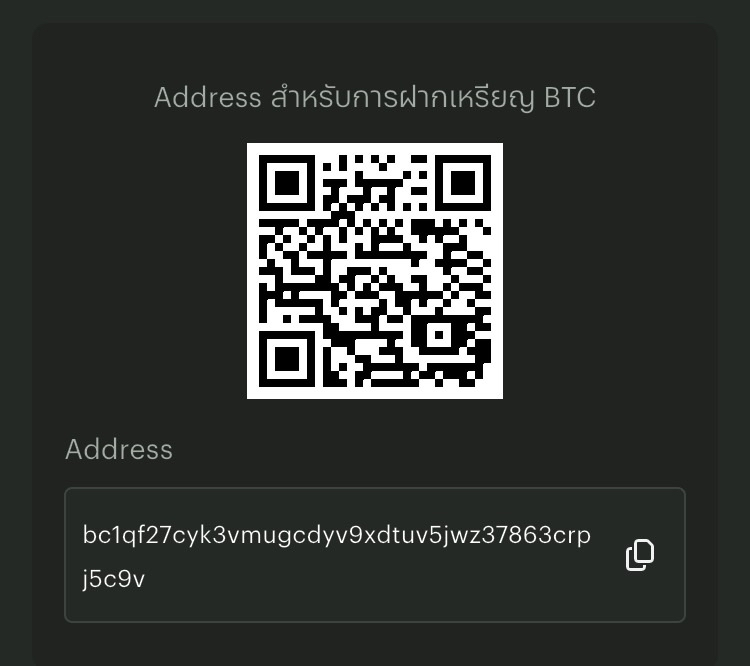
₿ Bitcoin — BTC:
bc1qf27cyk3vmugcdyv9xdtuv5jwz37863crpj5c9v
Thank you for your support! 🙏✨
ขอบคุณมากๆ สำหรับการสนับสนุนค่า! 💖🤗
Built with ❤️ by UKA — 18-year-old coder & cybersecurity expert
- Downloads last month
- 325
4-bit
6-bit
8-bit
16-bit
Model tree for hotdogs/Agents-A1-4B-Fable-Preview-GGUF
Base model
InternScience/Agents-A1-4B

